Pitch.ai - AI Powered Communication Practice Platform
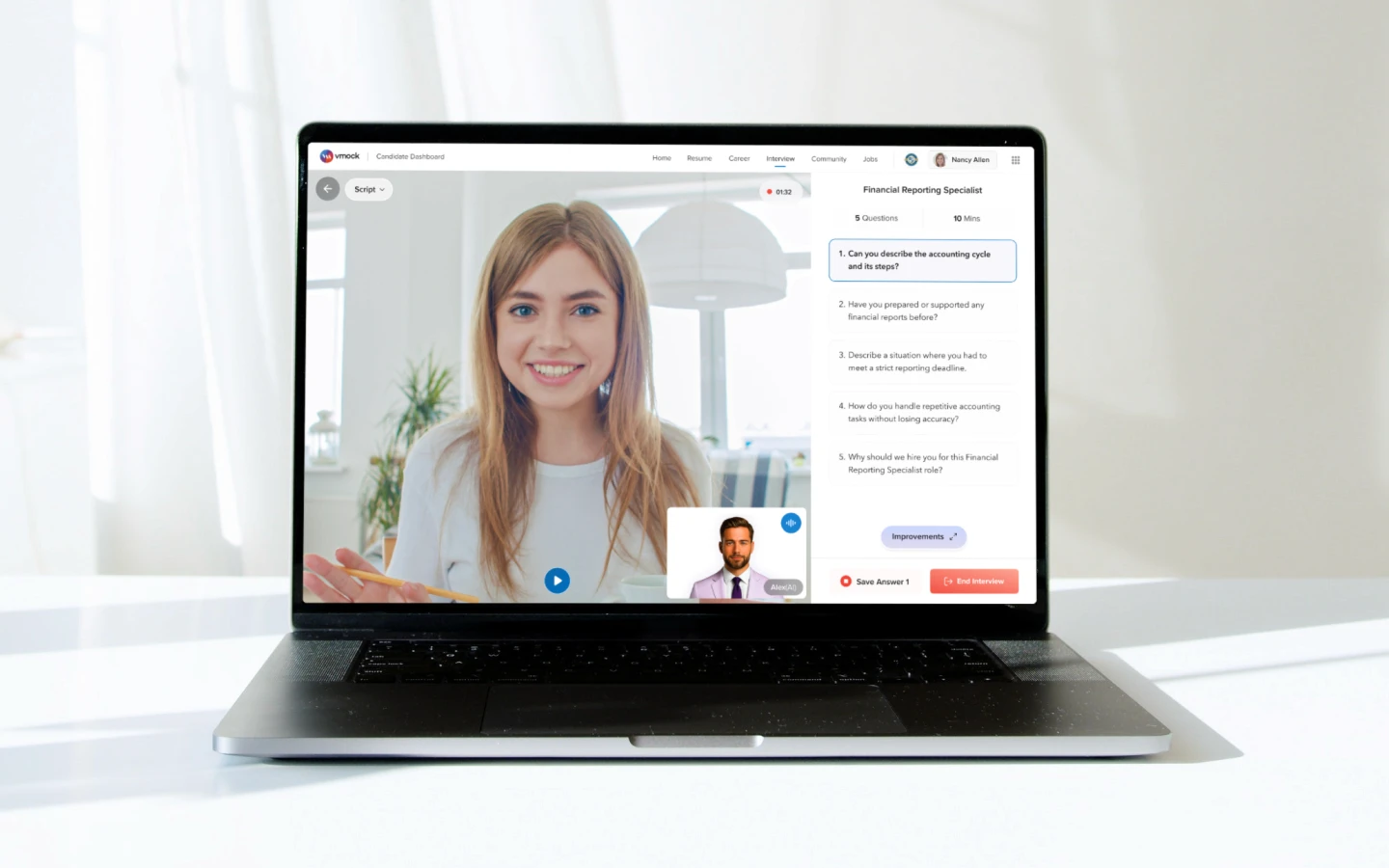
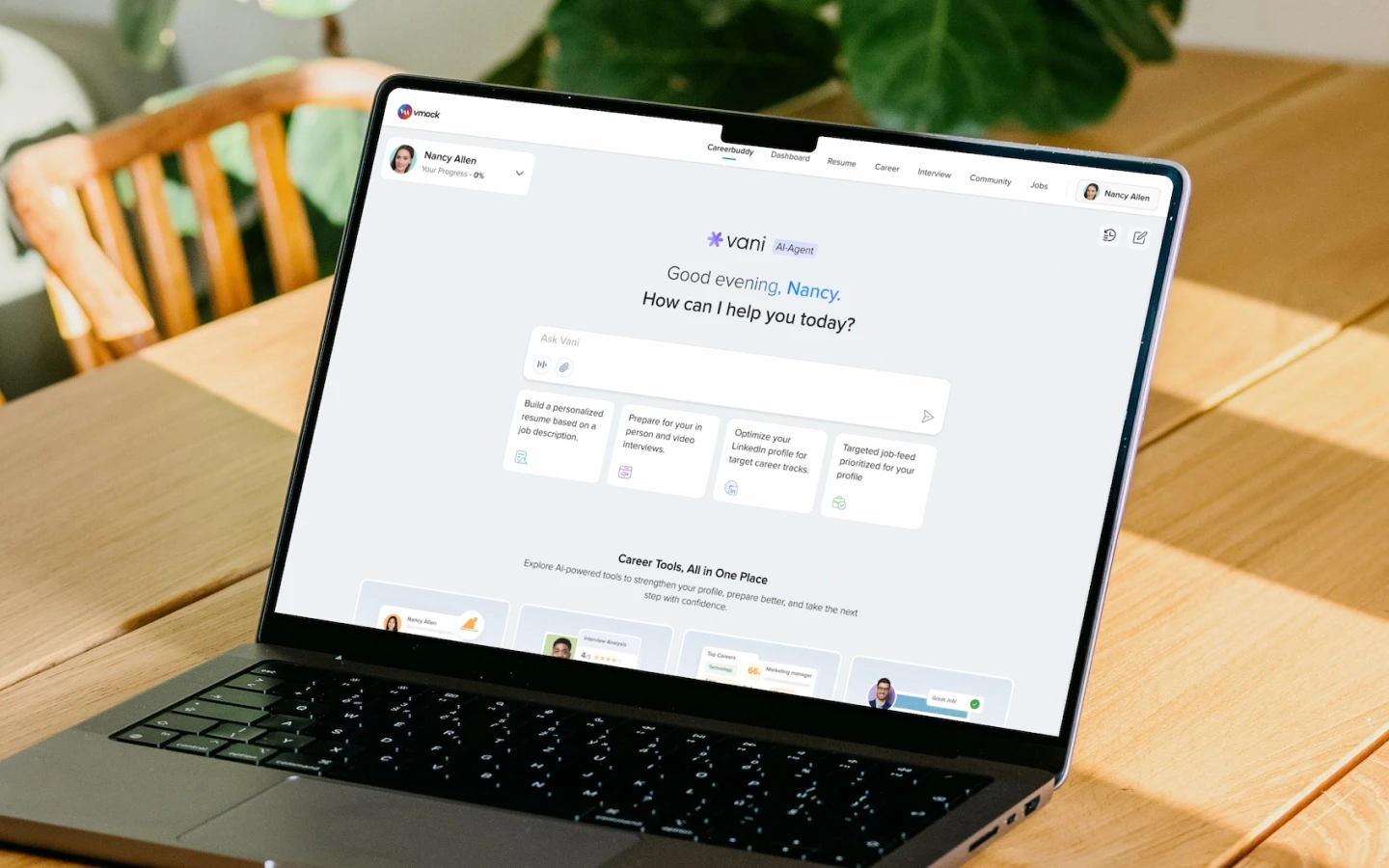
Pitch.ai is an AI-powered interview preparation and role-play practice platform that helps users practice high-stakes conversations through realistic AI-led conversations, live suggestions, and structured feedback.
Core Idea
People often know what they want to say, but struggle to communicate it clearly when the moment matters.
Timeline
1 - 2 months
Role
Senior UI/UX Designer
Platform
Responsive Web Application
Business model
B2B2C
Users
Students, Recent graduates, Professionals
Team
1 Designer, 1 APM, 5 Engineers(Frontend, Backend, Data Scientist)
Scope
End-to-end product design for interview preparation and AI role-play practice
Status
In Development
Product Overview
Built for two types of communication practice
Interview Preparation
Users could practice resume walkthroughs, role-specific questions, behavioral answers, salary negotiation, and document-based interview practice.
Scenario-based Role-Play
Users could practice workplace situations like stakeholder conversations, feedback discussions, investor presentations, sales pitches, and cross-functional collaboration.
The goal is to help users build communication confidence through realistic practice, not passive learning.
Problem & Opportunity
Users needed a better way to practice high-stakes conversations
Users mostly prepared alone
Users often prepared by reading answers, watching videos, writing notes, or rehearsing by themselves.
Real conversations are harder than written answers
In real conversations, users face follow-up questions, objections, pressure, and back-and-forth discussion.
Clients wanted more practice options
Clients wanted users to practice not only interviews, but also workplace conversations, presentations, negotiations, and role-specific scenarios.
Core opportunity:
How might we help users practice interviews and high-stakes conversations in a realistic, guided, and repeatable way so they can communicate with more clarity, confidence, and structure?
Project Outcome
Complete AI practice journey
Delivered the full experience across onboarding, SUNDR AI-agent entry, scenario discovery, setup, recording, feedback, learning tools, and reattempt flows.
AI-assisted front-end exploration
Recreated the Pitch.ai interface using VS Code and Claude Code to test layout behavior, responsiveness, and implementation feasibility beyond static screens.
My Role
End-to-End Product Design Ownership
I led the design of Pitch.ai from product direction to high-fidelity design, helping shape it into an AI-powered interview preparation and role-play practice platform.
Research & Synthesis
Reviewed client needs, user goals, competitor products, and product direction to identify the main gaps in AI-led communication practice.
Product Strategy Input
Translated research insights and product goals into a clearer design direction for interview preparation and role-play practice.
Information Architecture & User Flows
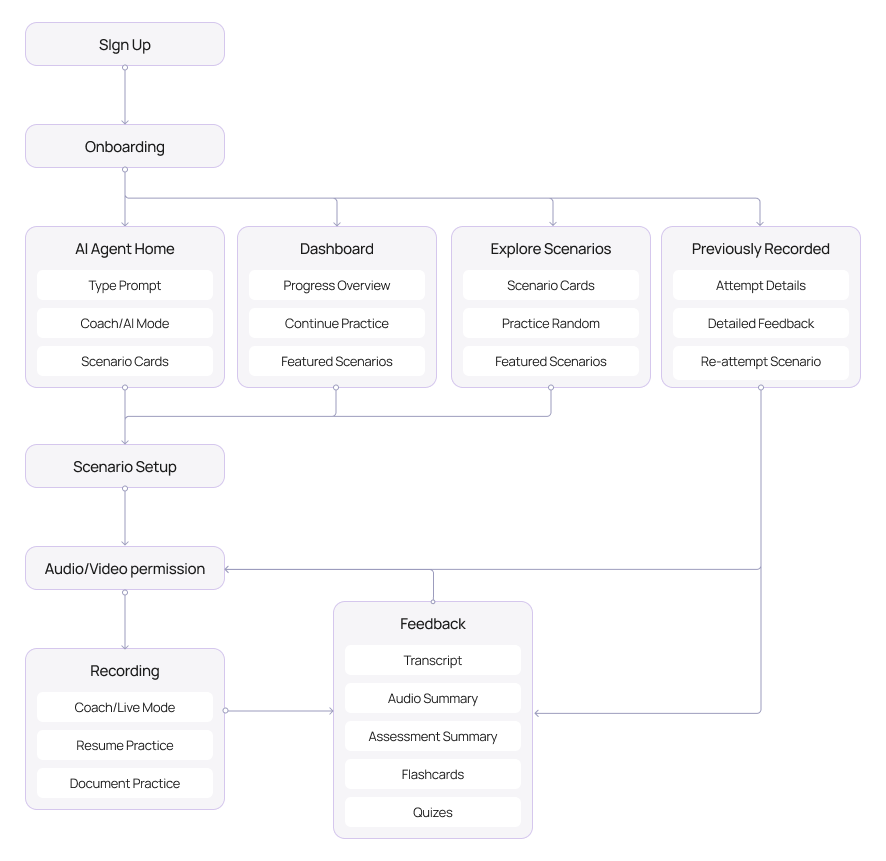
Structured the main journeys across onboarding, scenario discovery, scenario setup, recording, feedback, learning tools, and reattempts.
High-Fidelity Design
Designed core screens across SUNDR home, practice setup, recording, feedback workspace, flashcards, quizzes, dashboard, and previous attempts.
Product & Engineering Collaboration
Worked with Product, Engineering, and Data Science to align the experience with technical feasibility and AI behavior.
The Users
The platform served learners, professionals, institutions, and companies
Pitch.ai was designed for a B2B2C ecosystem where users practiced directly, while universities, training teams, and companies supported communication practice at scale.

Primary
Students
Students needed guided interview practice, resume-based preparation, simple feedback, and repeated attempts before real interviews.

Primary
Job Seekers / Professionals
Job seekers and professionals needed realistic role-play, clearer answer structure, and feedback they could use to improve.

Secondary
Universities/Companies/Coaches
These teams needed a scalable way to help students, professionals, and employees practice interviews, workplace communication, presentations, and role-specific conversations.
Research Inputs
I used multiple inputs to understand where practice was breaking down
The research focused on how users prepare, what clients were asking for, and how similar products handled AI-led practice.
Client Signals
Clients wanted practice beyond mock interviews, especially for role-play scenarios like stakeholder conversations, salary negotiation, investor presentations, and feedback discussions.
User Needs
Users needed a safer way to practice real conversations before facing them in interviews or workplace situations.
Competitor Research
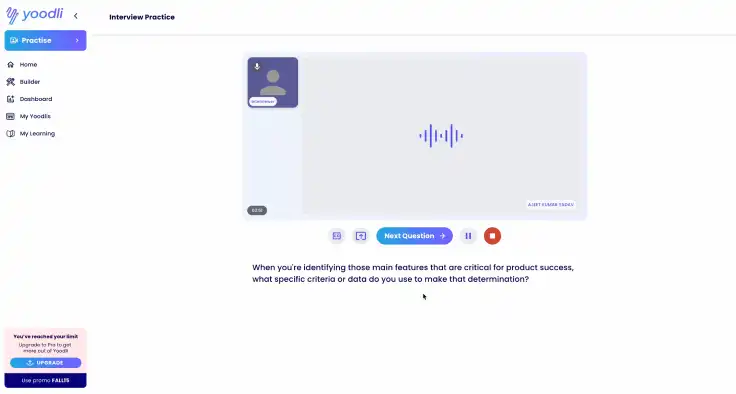
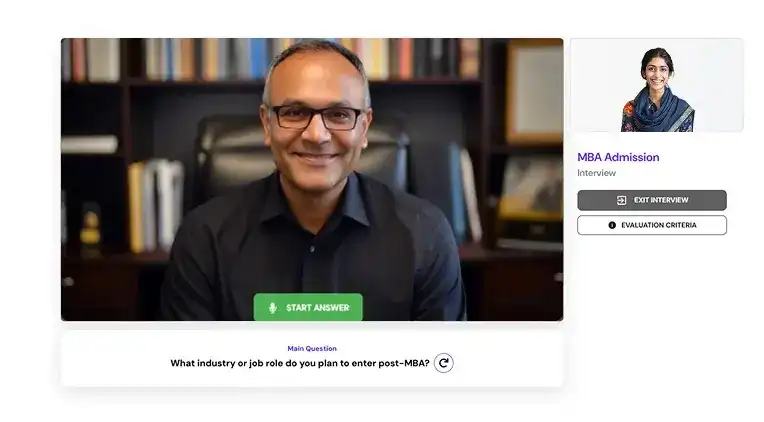
I reviewed AI interview and communication practice tools to understand how they handled setup, live practice, feedback, and reattempts.
Competitor Research
I reviewed AI interview preparation, communication coaching, and role-play platforms to understand how they support practice setup, live conversation, feedback, and improvement.
Yoodli

Virtual Sapiens
Remasto
Overall Key Insights
Scenario setup was often too broad
Most products allowed users to choose a topic or role, but did not capture enough context around goal, persona, conflict, documents, or desired outcome.
Practice flows felt too linear
Most products followed a simple flow: choose a scenario, practice, and receive a report, with limited support for learning and reattempts.
Feedback was not tied to exact answers
Many tools provided overall scores or summaries, but did not clearly connect feedback to the exact response where the user struggled.
Reattempts were not easy to continue
Few products helped users review feedback, improve the same answer, and practice again in one connected flow.
Document-based practice was limited
Most tools did not deeply use resumes, job descriptions, decks, or reports as core practice material for more specific conversations.
Users needed a guided system, not just more practice
After combining client signals, user needs, competitor research, and product exploration, one theme became clear:
Users needed help moving from practice to feedback, learning, and reattempt.
Practice needed to feel closer to real conversations
Real conversations involve pressure, follow-up questions, objections, and unpredictable responses, not just static questions.
Generic practice felt less useful
Users needed goal, persona, background, conflict, constraints, and supporting documents before starting a role-play session.
Feedback needed to point to exact answers
Users needed to know which response needed improvement, why it needed improvement, and how to say it better.
Users needed both coaching and realism
Some users needed support during practice, while others wanted a realistic no-interruption session.
Feedback needed a clear next step
Users needed to know what to fix, how to practice it, and when to reattempt.
These opportunity areas shaped the main product direction before moving into information architecture and detailed design.
Make practice easy to start
Let users begin through SUNDR or choose from suggested scenarios.
Make role-play more contextual
Use goal, persona, conflict, and documents to make practice feel specific.
Support Coach Mode and Live Mode
Give users a choice between guided learning and realistic rehearsal.
Connect feedback to transcript moments
Show feedback on the exact response where users struggled.
Turn feedback into action
Use Practice Now, AI Rerun, flashcards, quizzes, and reattempts to help users improve after feedback.
A structure built around the practice loop
I I organized Pitch.ai around four primary areas: AI Agent Home, Dashboard, Explore Scenarios, and Previously Recorded.
This gave users multiple ways to start, continue, discover, or revisit practice while keeping the core journey consistent.
Core Journey
Choose scenario
Set context
Practice with SUNDR
Review feedback
Reattempt
Design Exploration
Exploring the product loop before final UI
Before moving into high-fidelity design, I explored how users would start practice, choose or define a scenario, interact with SUNDR, review feedback, and reattempt.
Paper Sketches
Early sketches helped define the broad structure across discovery, setup, recording, feedback, and reattempts.
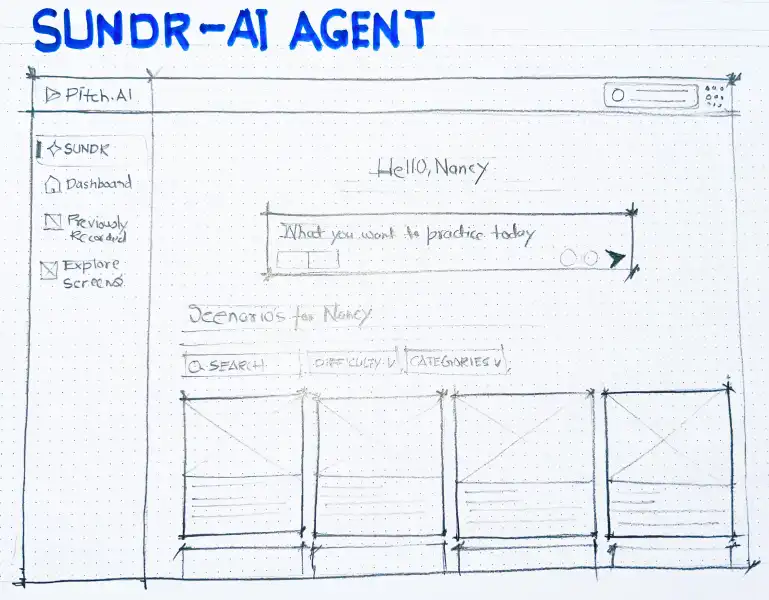
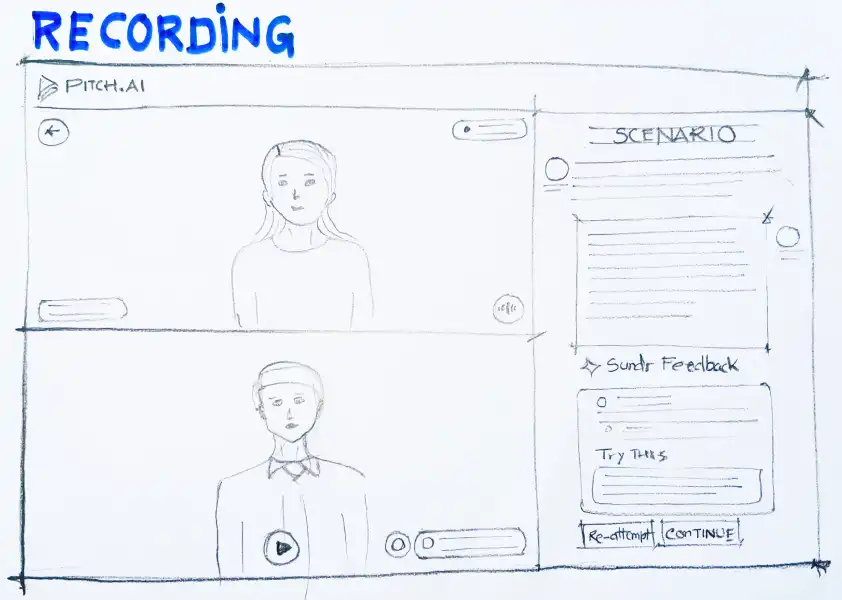
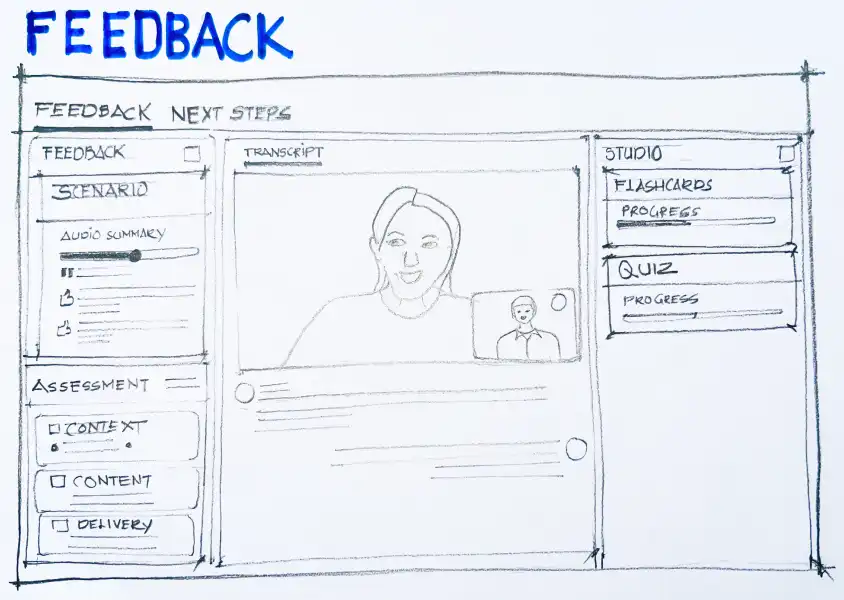
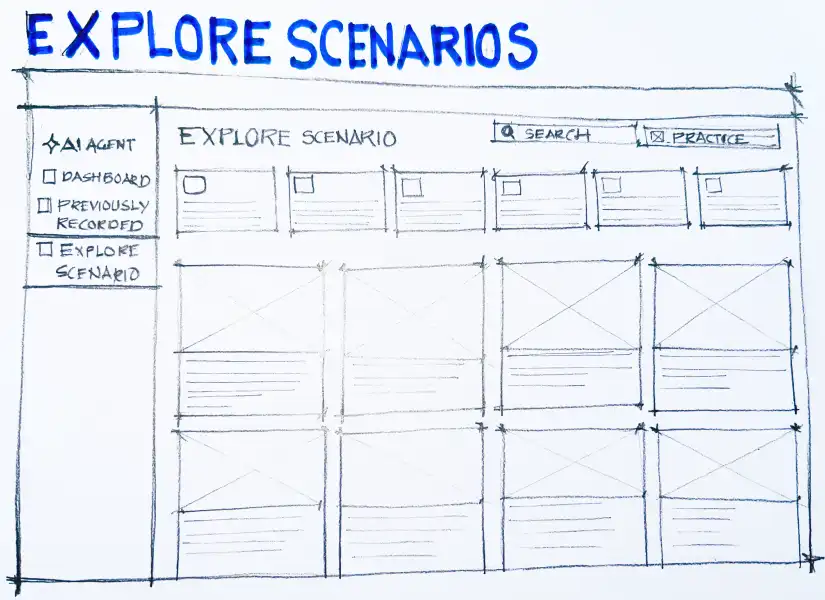
Explored a categorized scenario library to help users quickly discover and start relevant communication practice.
Takeaway from sketches
Sketching helped me quickly explore the product loop before moving into high-fidelity design:
Choose scenario → practice with AI → review feedback → learn → reattempt
Pitch.AI Design System
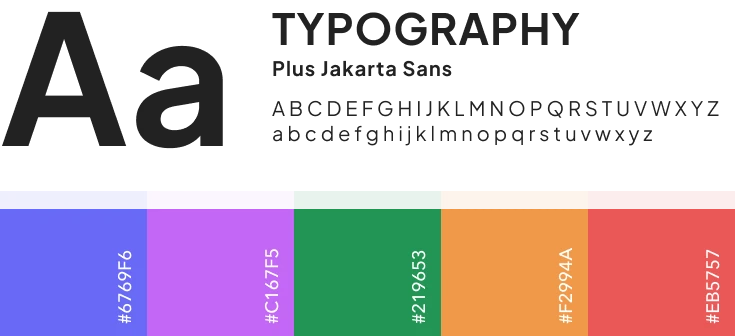
A consistent design system helped keep Pitch.ai scalable across scenario cards, setup forms, recording controls, transcript feedback, flashcards, quizzes, and progress states.

WCAG 2.1 Compliance
Contrast ratios, focus states, keyboard navigation

Screen Reader Support
Optimized ARIA labels and semantic HTML

Typography Hierarchy
Clear reading paths with consistent hierarchy
Final Designs
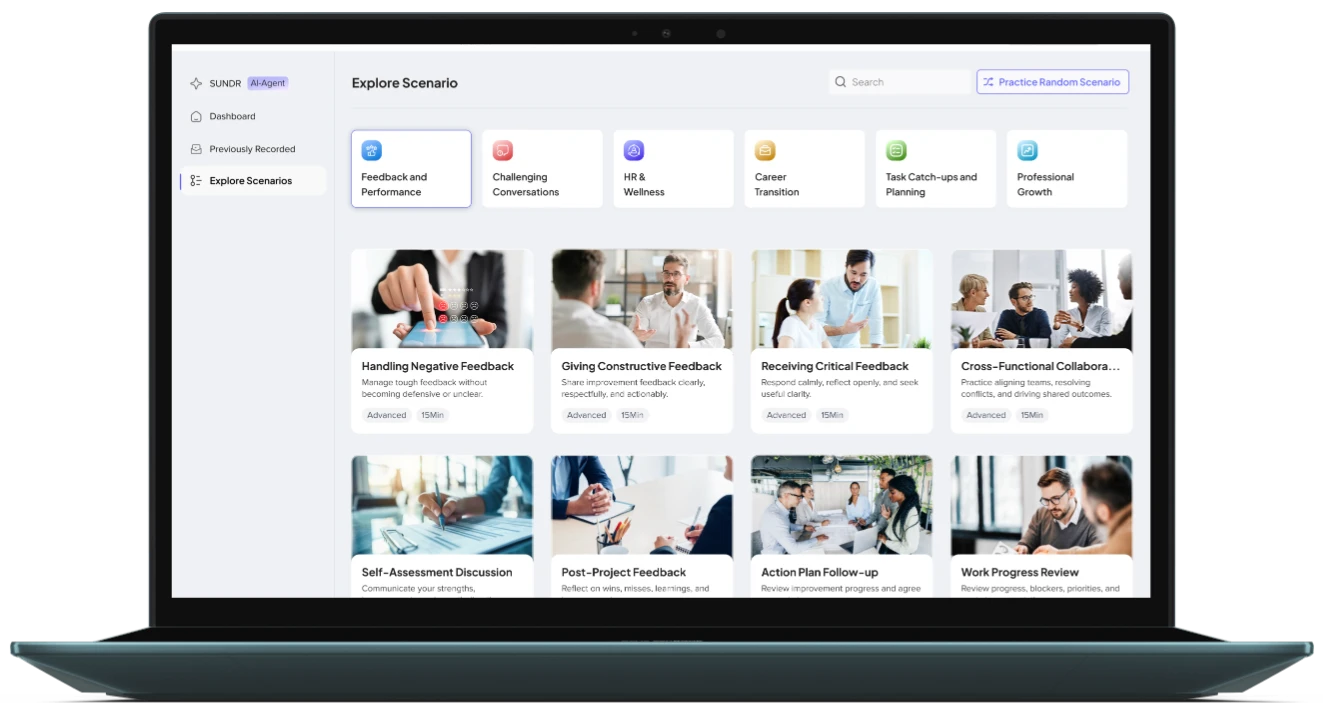
The final designs bring together the complete Pitch.ai experience — from onboarding and scenario discovery to AI-led practice, feedback, learning, and reattempt flows.
Onboarding
(New Addition)
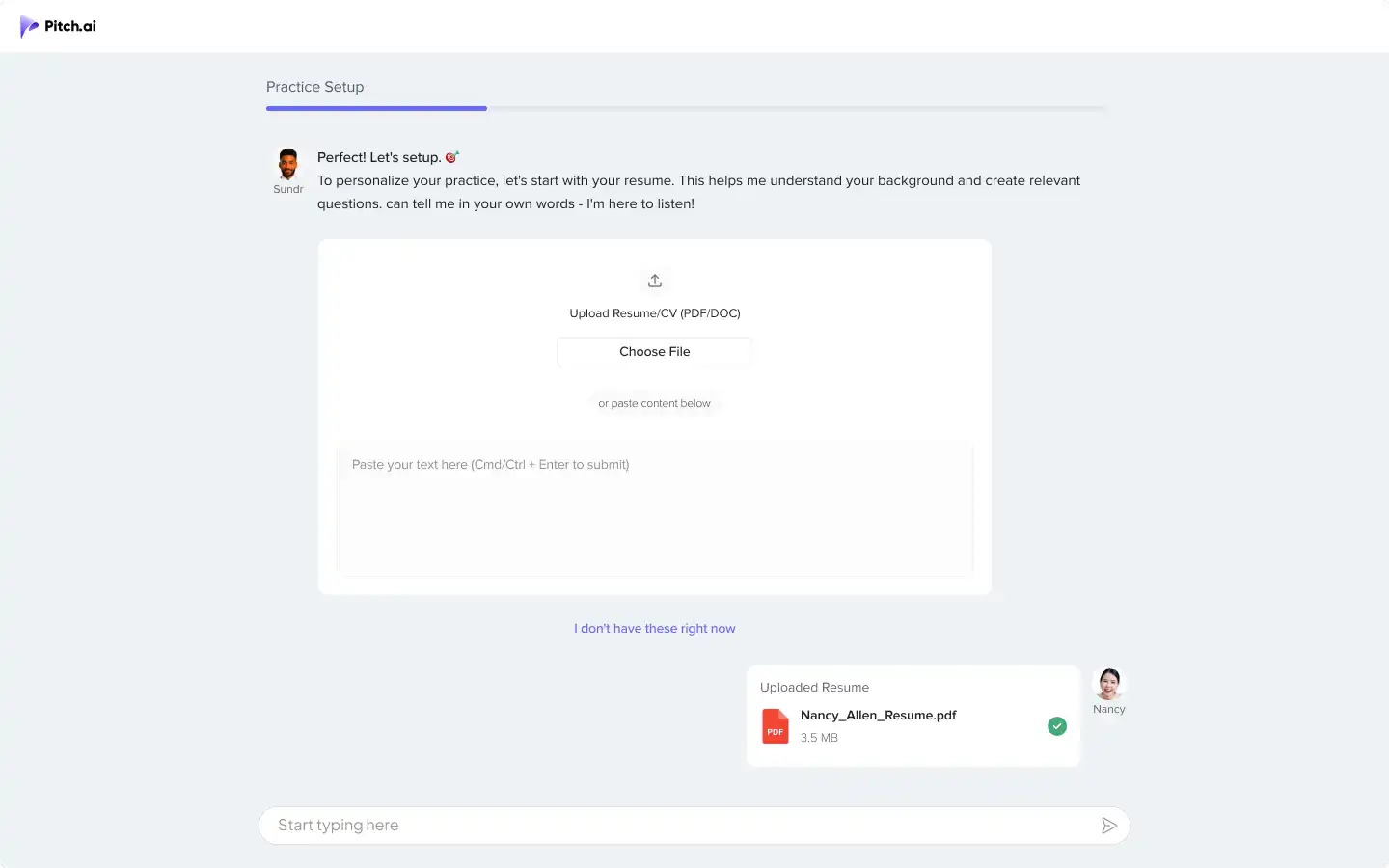
Design Decisions
Personalized practice - Collected practice context early
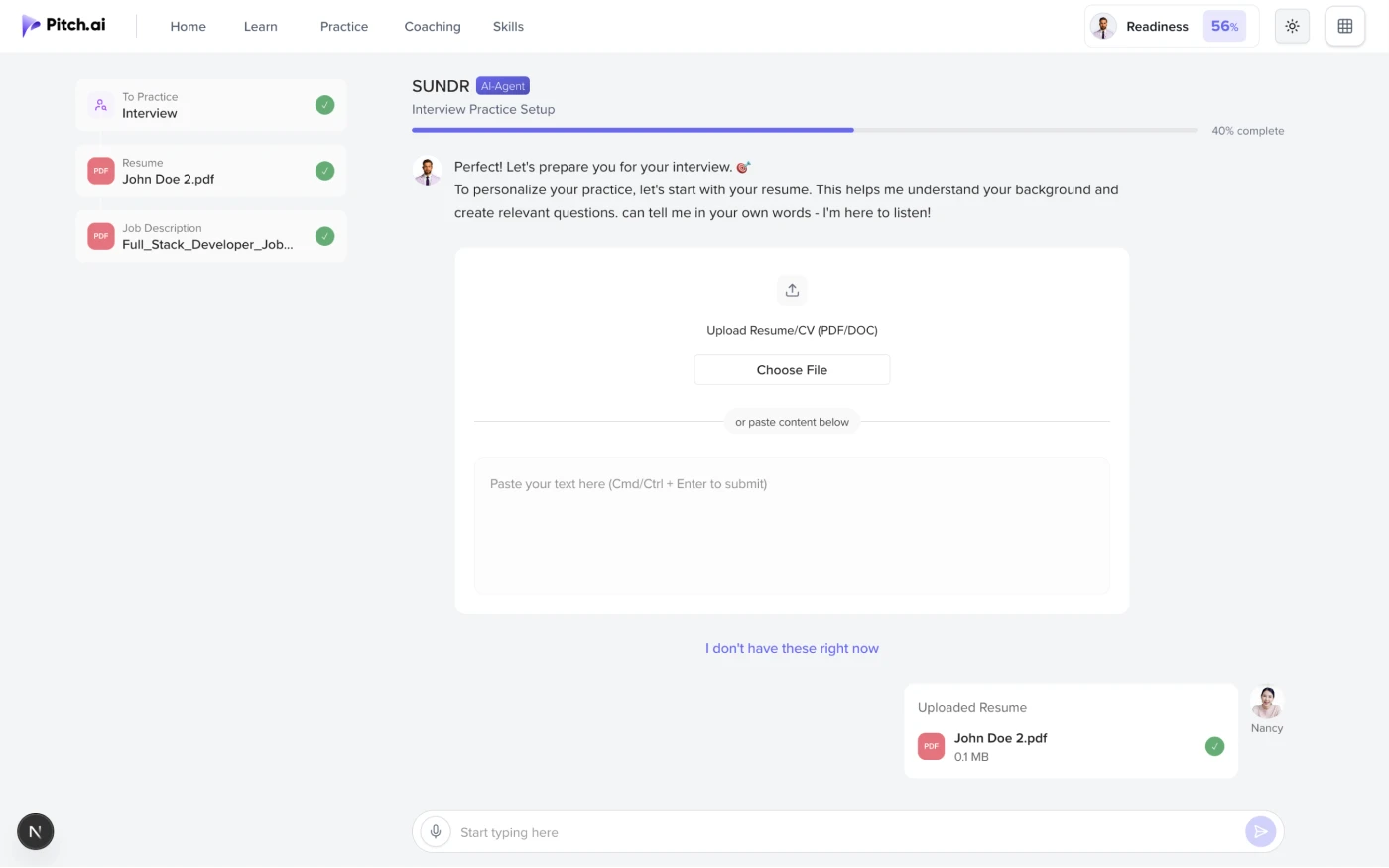
I added onboarding to collect resume, job description, and practice purpose before users reached the dashboard.
Supported both upload and manual input
Users could upload documents or add details manually, depending on how prepared they were.
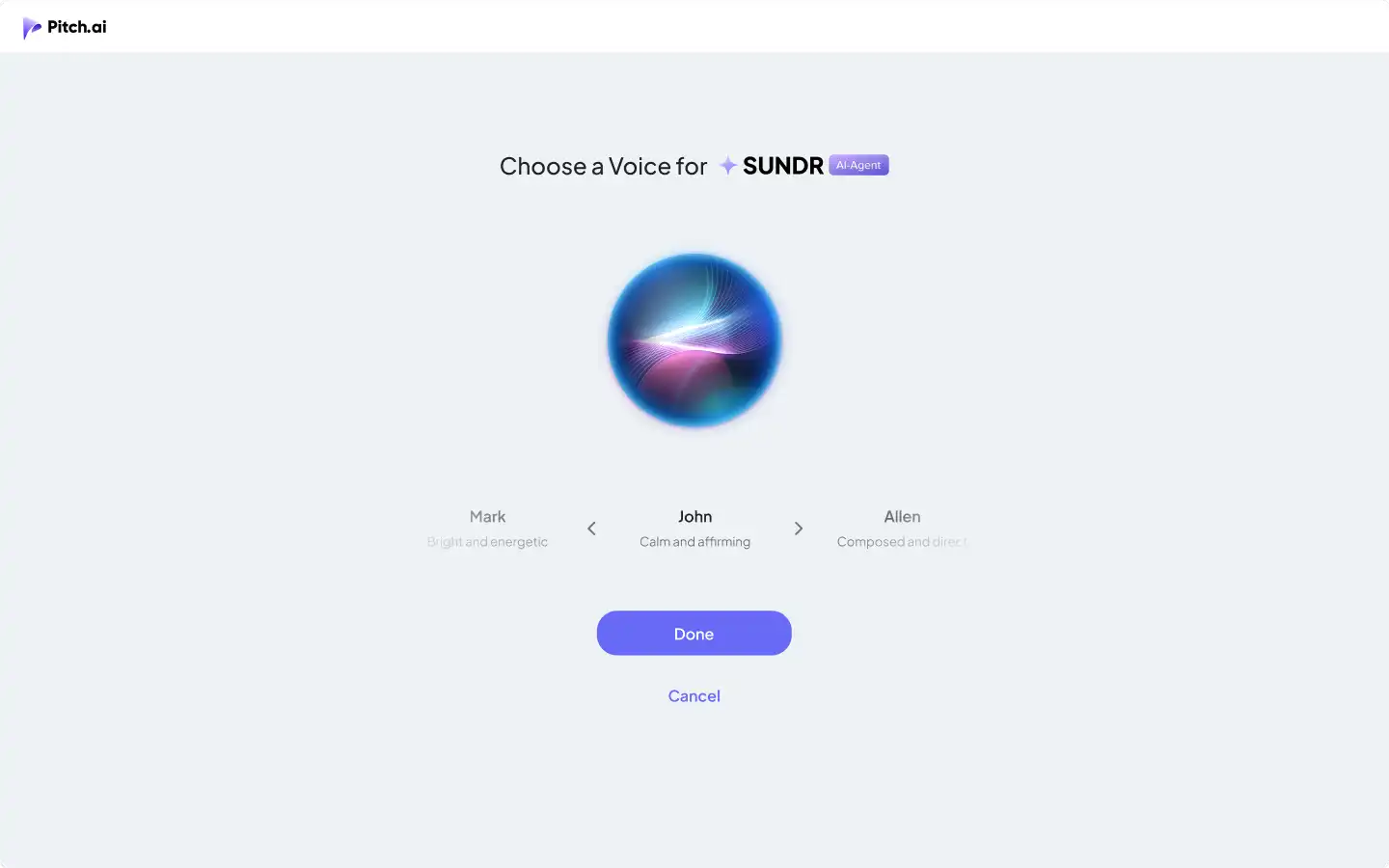
Added SUNDR voice selection
Users could choose SUNDR’s voice before starting AI-led speaking practice.
AI Agent Home
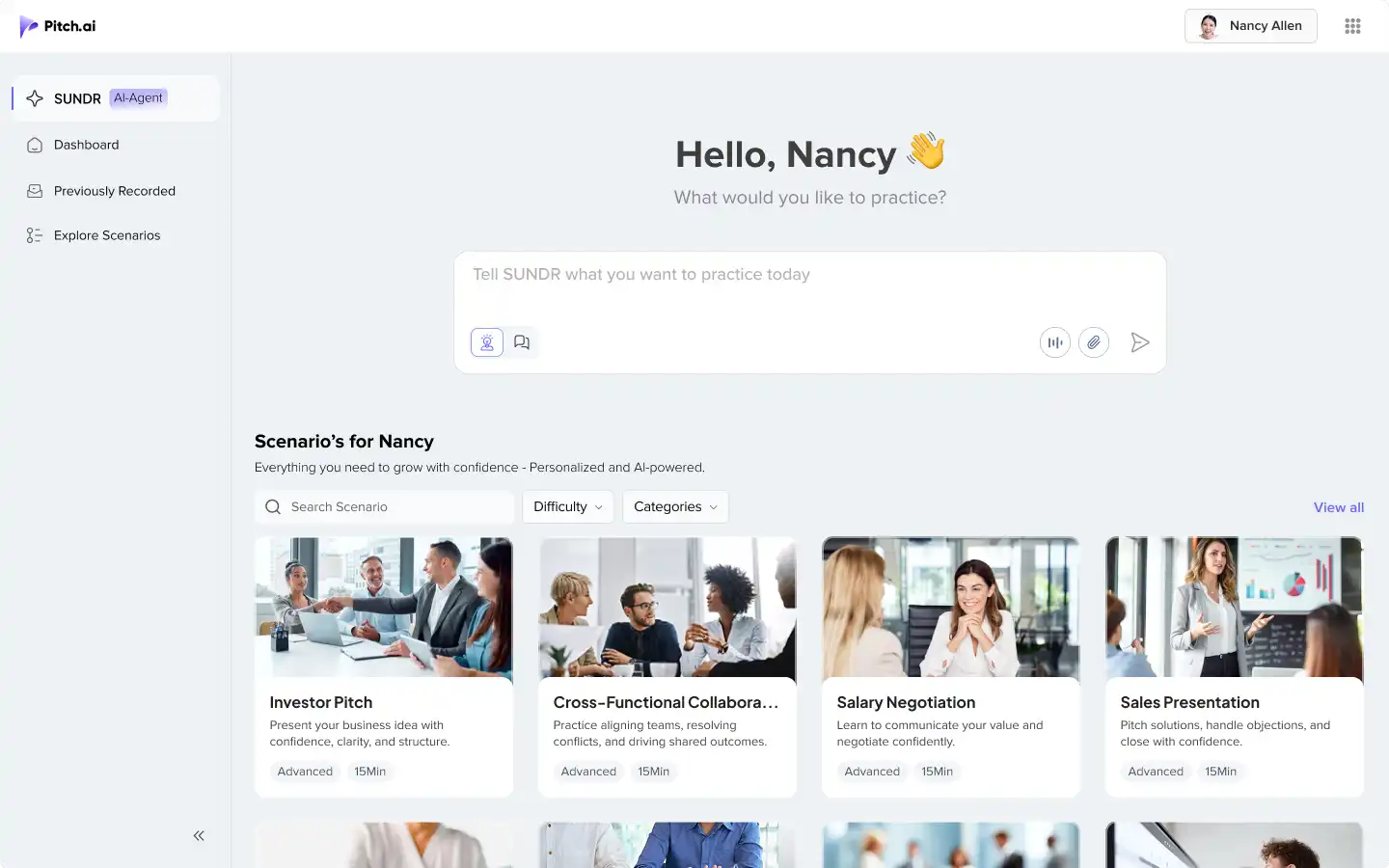
Design Decisions
Made practice easier to start
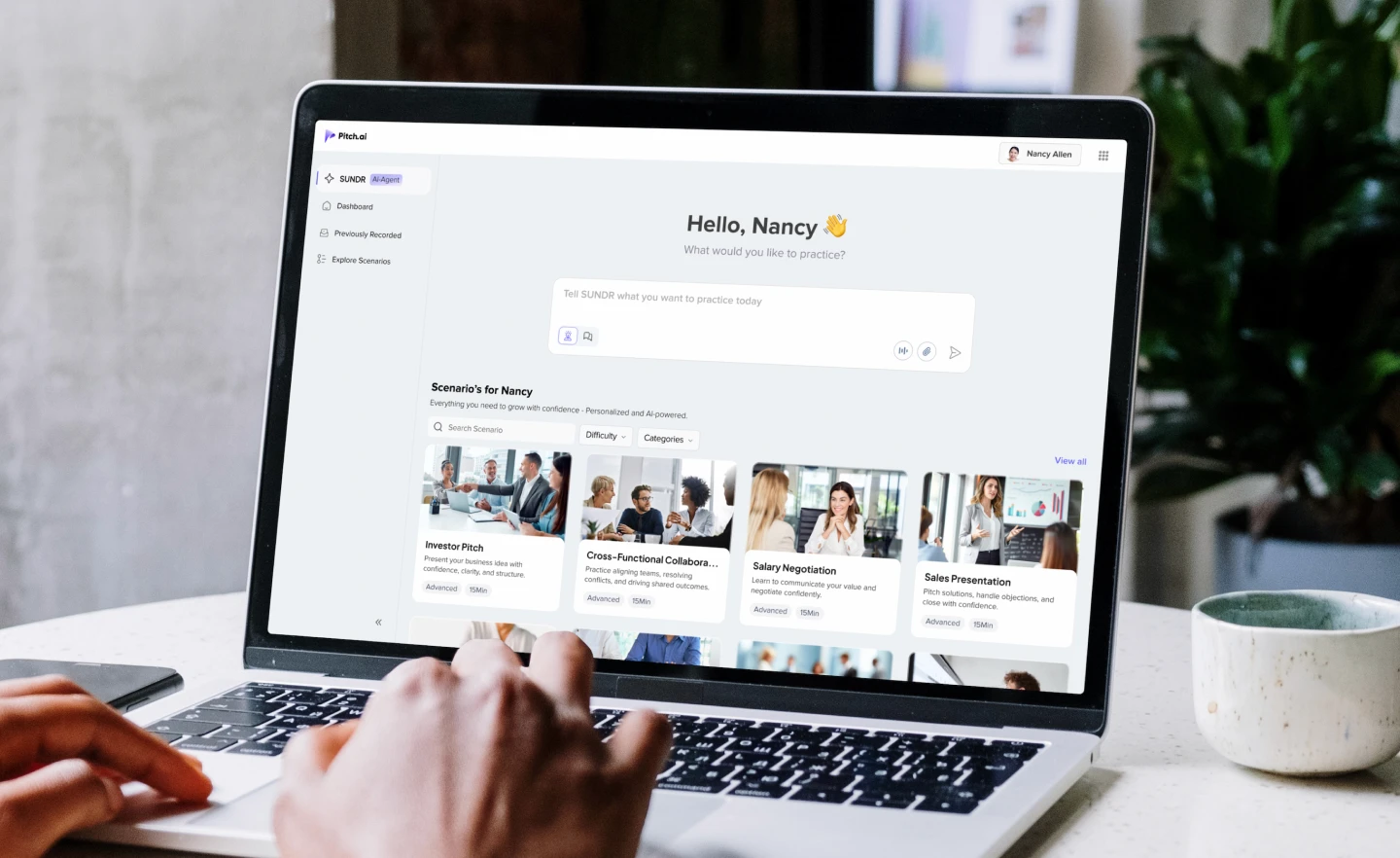
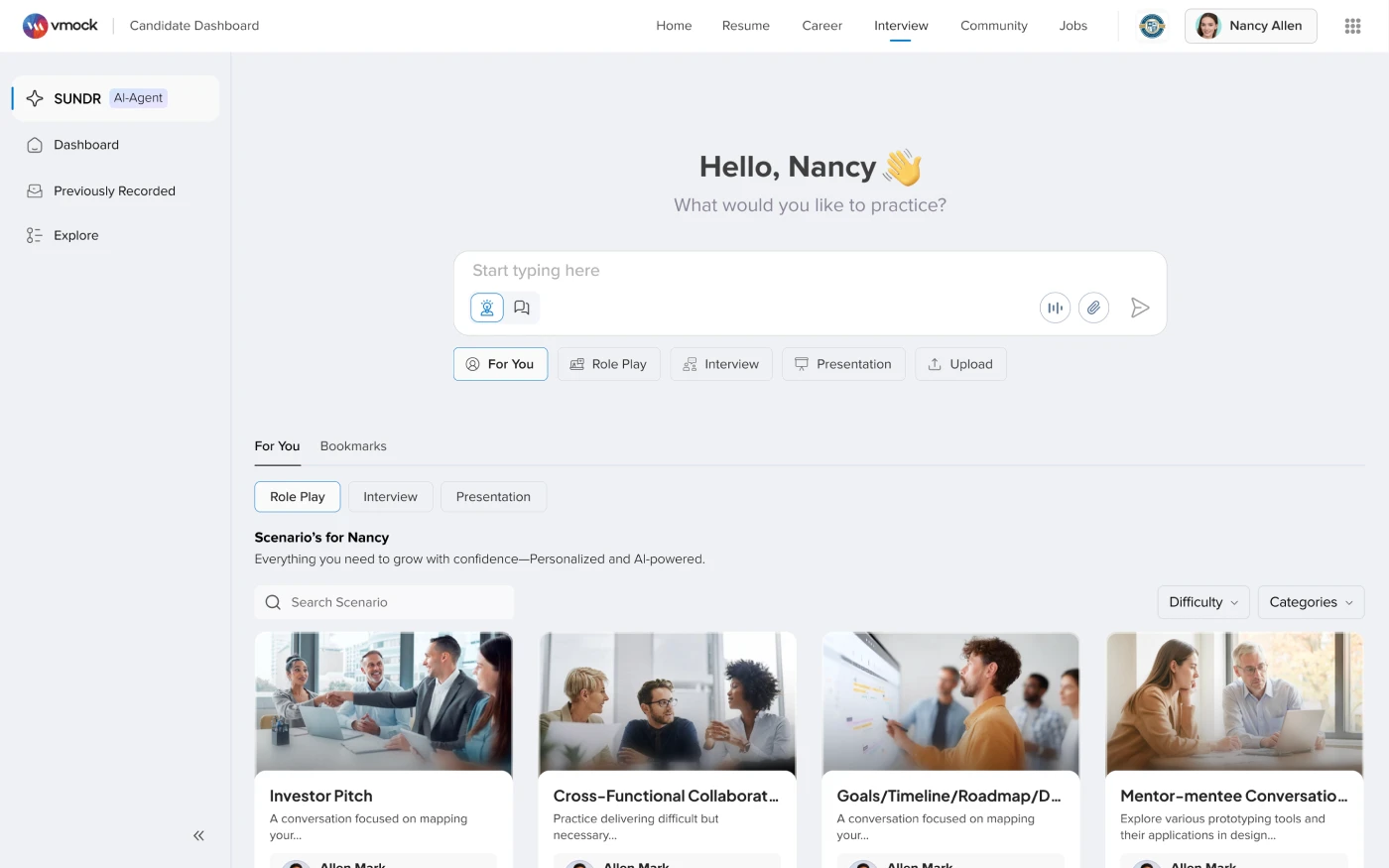
I designed the home screen around one simple prompt: “What would you like to practice?”
Supported both direct input and browsing
Users could type what they wanted to practice or choose from suggested scenario cards.
Brought interviews and role-play into one place
The home screen helped users start interview practice or workplace role-play from the same entry point.
Audio Video permission screen
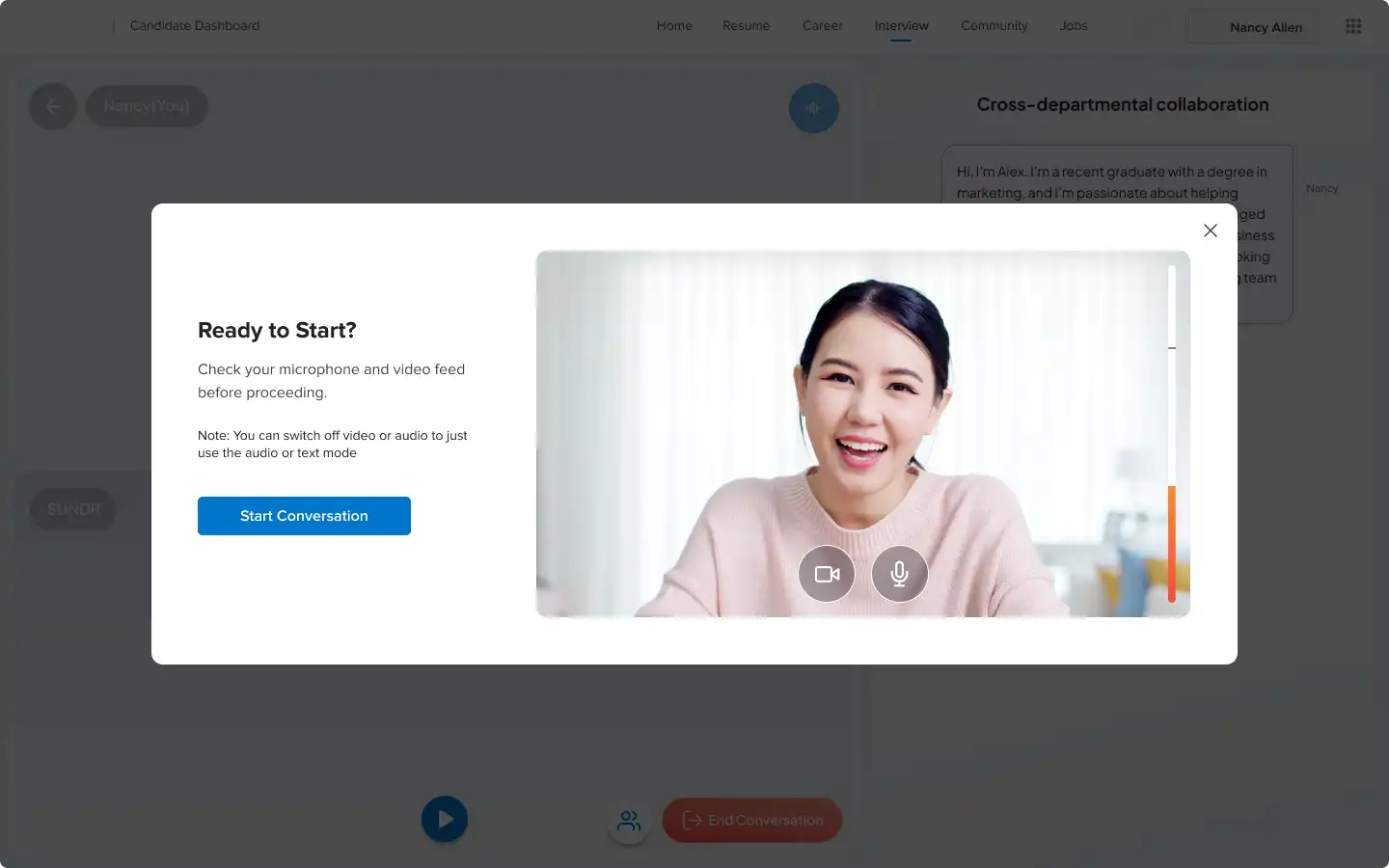
Design Decisions
Added setup control before practice
Users could check camera, microphone, and video settings before entering the session.
Reduced uncertainty before speaking
The screen helped users feel ready before starting a high-pressure practice conversation.
Recording screen (Coach Mode + Live Mode)

Design Decisions
Added Coach Mode for guided practice
Coach Mode gave feedback after each answer so users could improve while practicing.
Added Live Mode for realistic practice
Live Mode removed interruptions and made the session feel closer to a real interview or role-play conversation.
Showed feedback beside the answer
SUNDR feedback appeared next to the user’s response using What Worked, Opportunity, and Try This Instead.
Made reattempts immediate
Users could retry the same answer while the feedback was still fresh.
Live suggestions
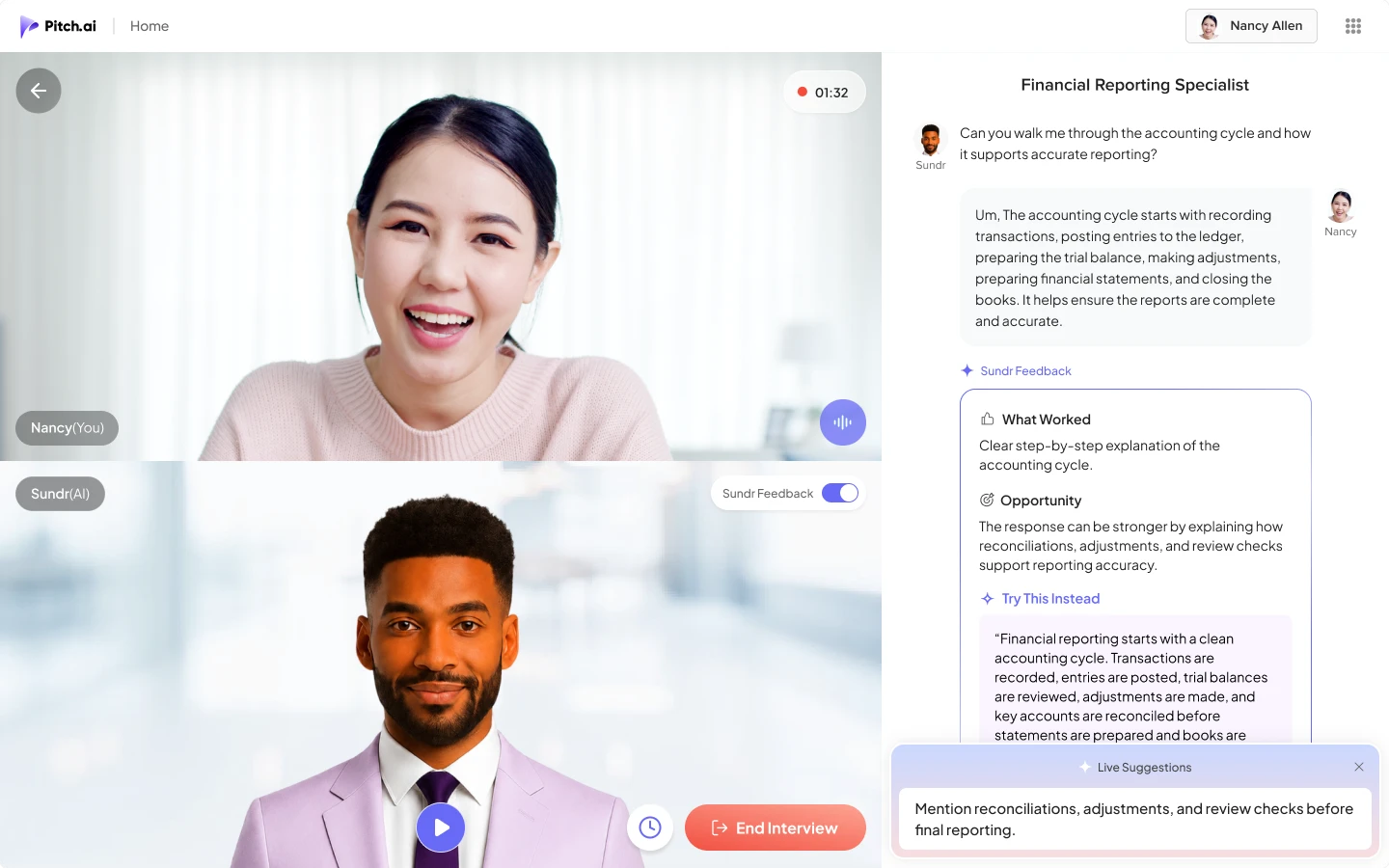
Design Decisions
Added light guidance during practice
Live suggestions helped users include stronger points while answering.
Feedback Summary
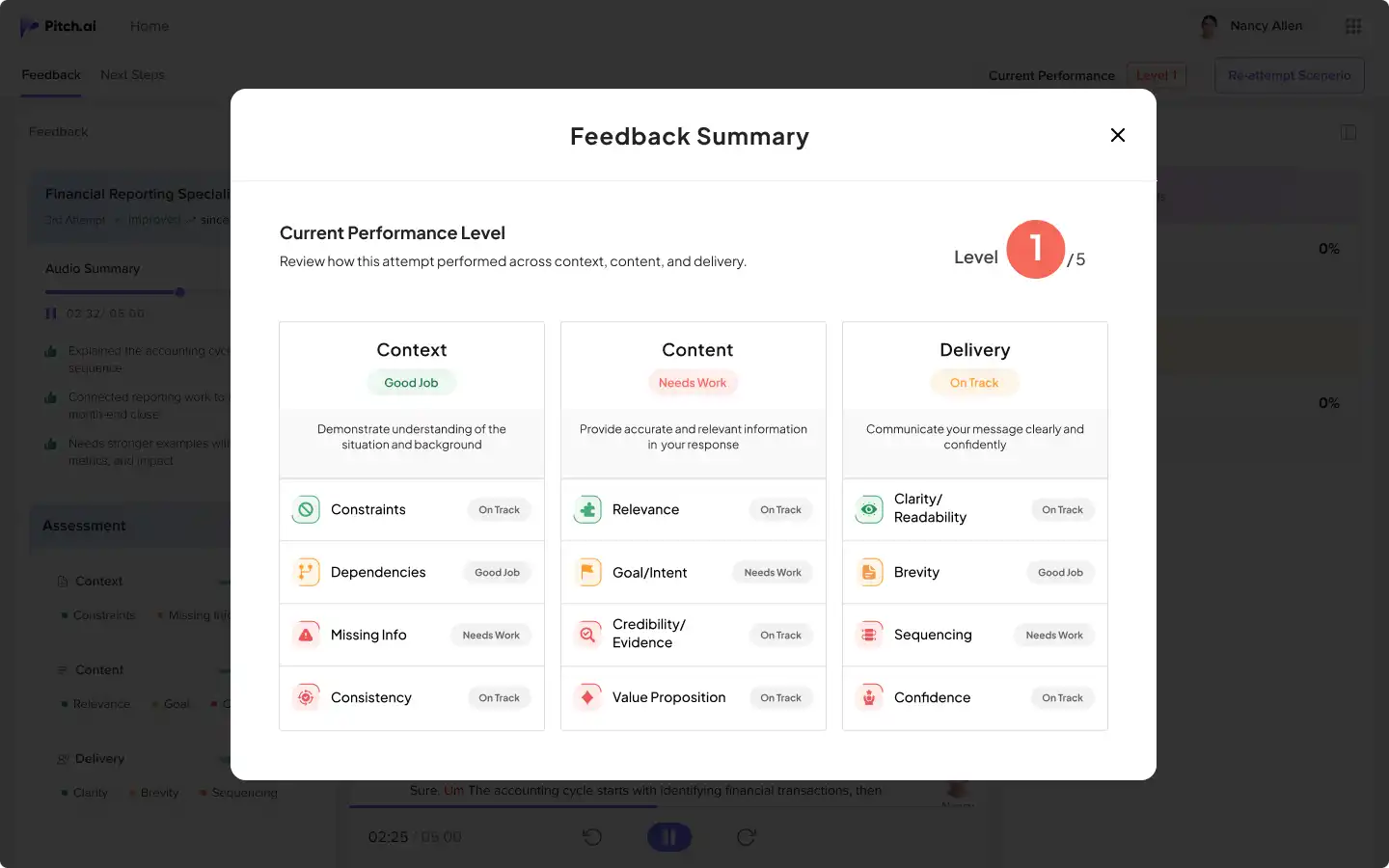
Design Decisions
Showed performance at a glance
Users could quickly understand their performance across Context, Content, and Delivery.
Feedback
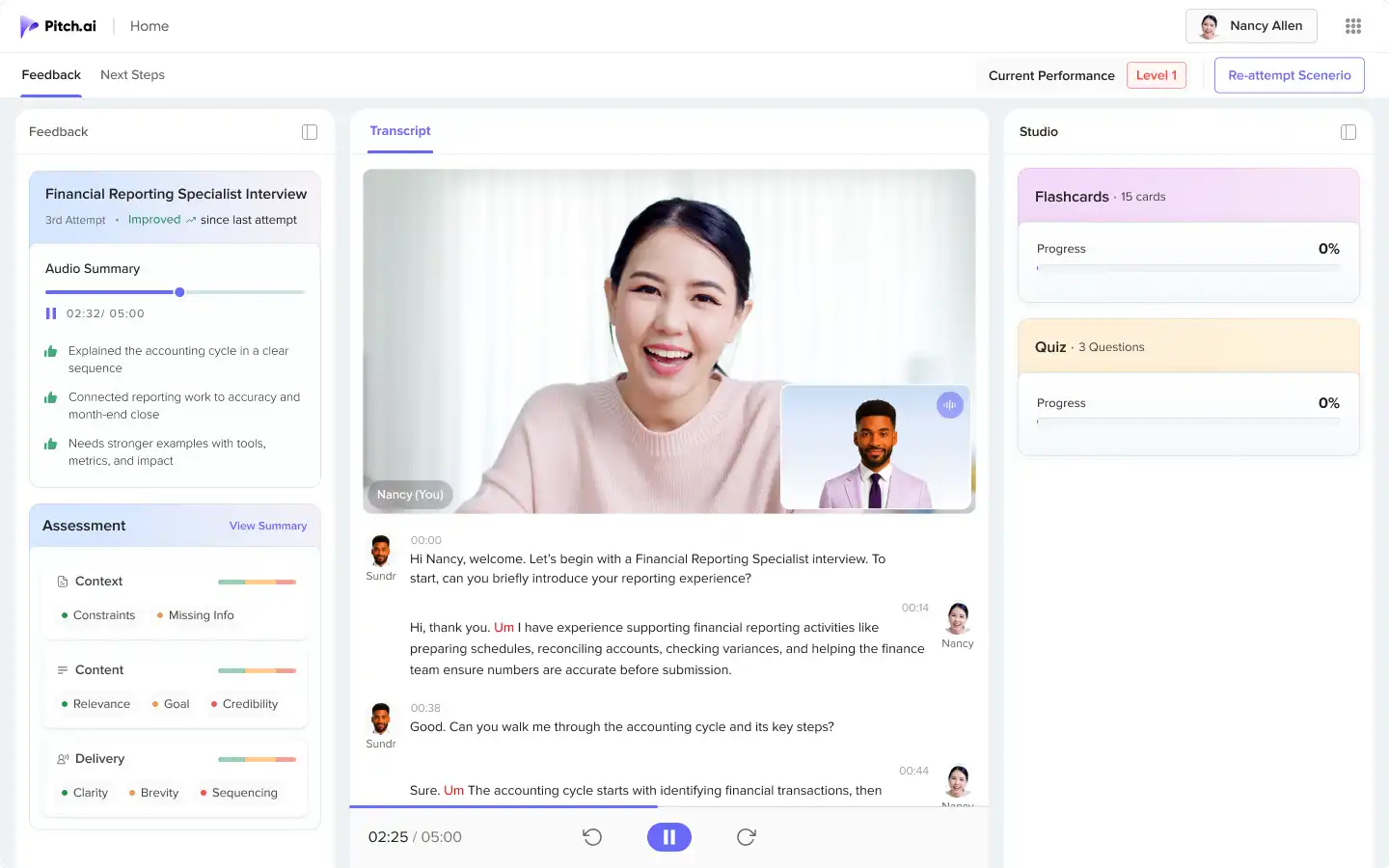
Design Decisions
Created one place for review, replay, and learning
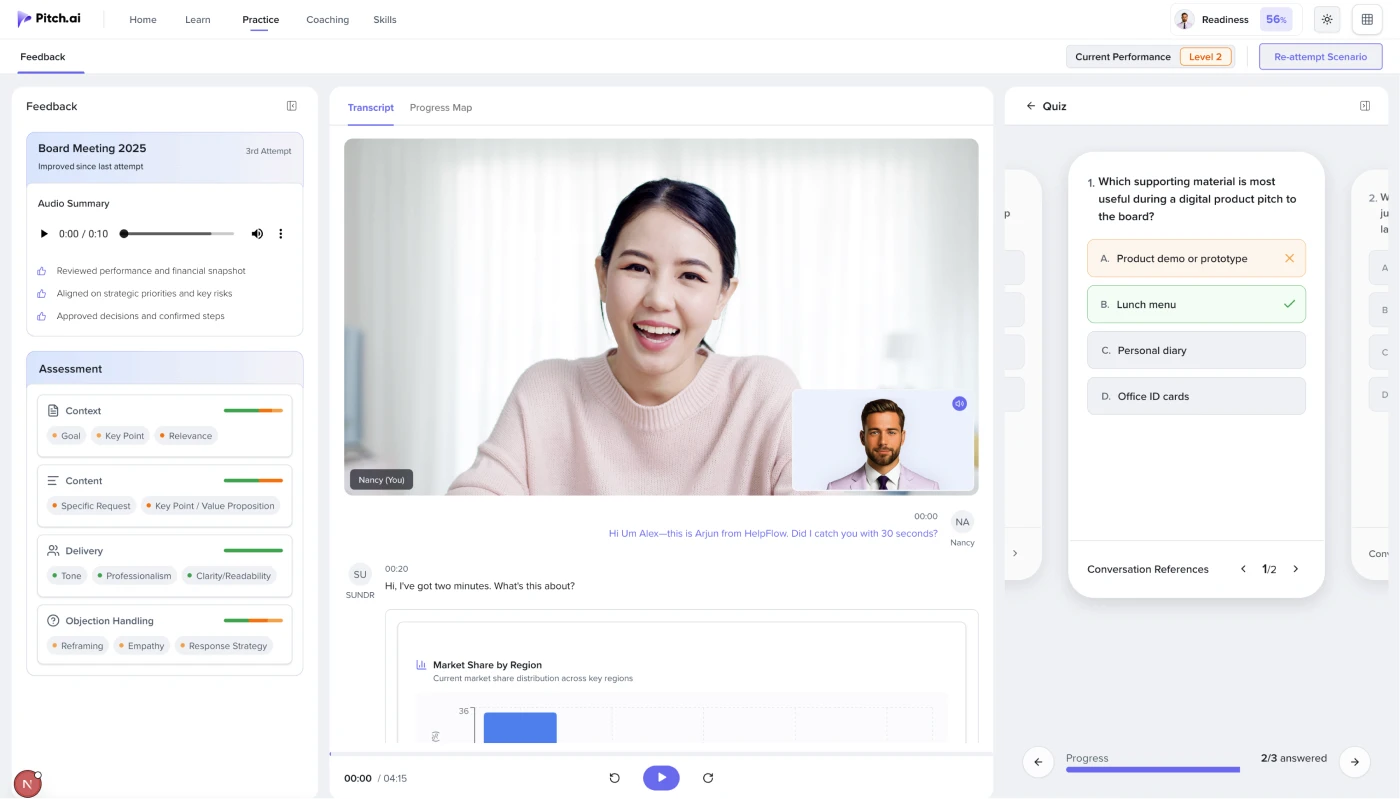
I structured the screen with performance feedback on the left, recording and transcript in the center, and flashcards or quizzes on the right.
Added a quick performance summary before details
The left panel showed audio summary and assessment so users could quickly understand how the attempt went.
Connected feedback directly to transcript messages
Users could click any transcript response to see what worked, what needed attention, and how the answer could improve.
Added flashcards and quizzes for continued learning
The right panel helped users revise key points from the session before reattempting.
Message-Level Feedback
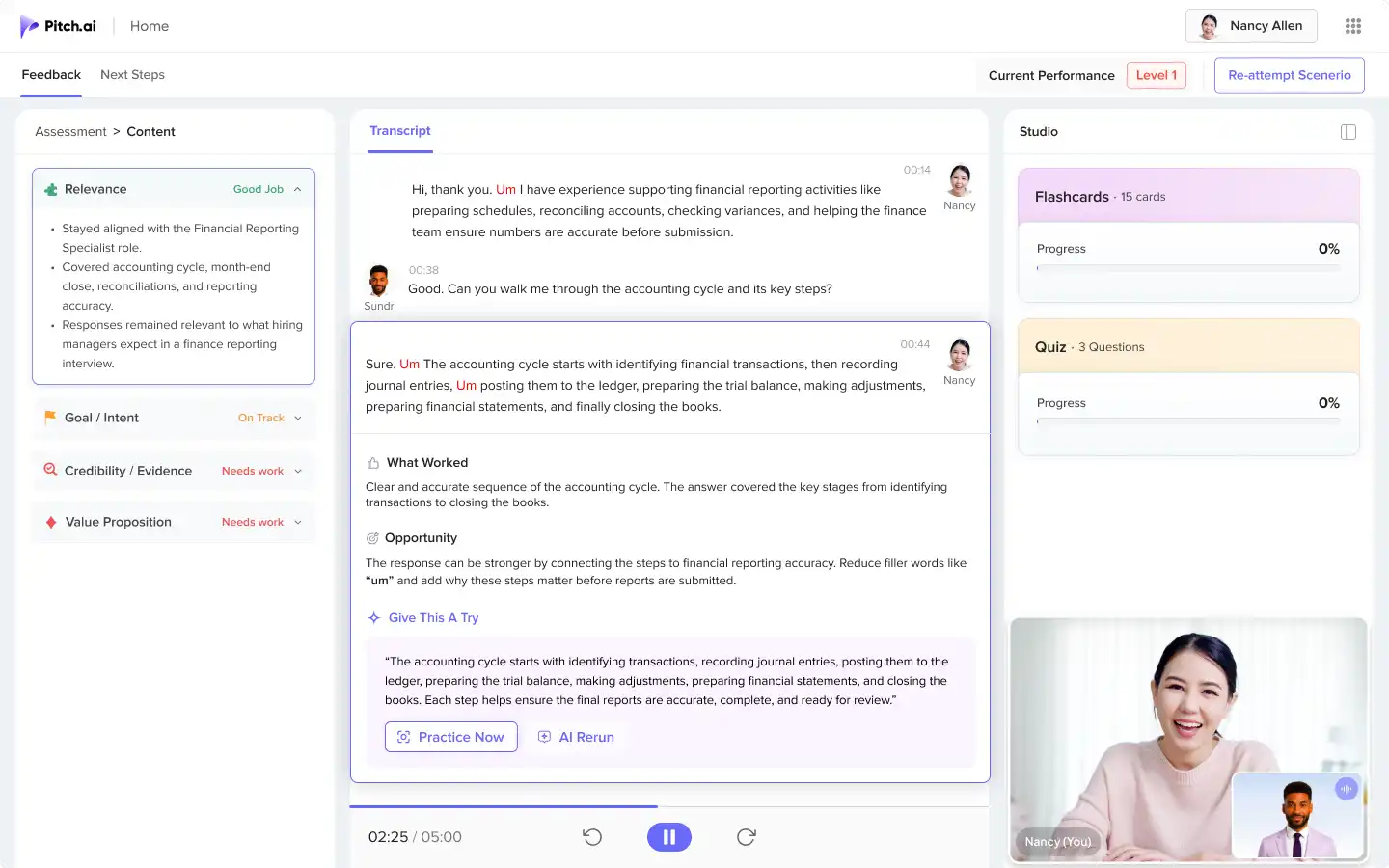
Design Decisions
Added feedback below each answer
Users could click any transcript response and see SUNDR feedback directly below that message.
Made feedback easy to act on
The feedback showed what worked, what needed improvement, and a stronger version the user could try.
Added Practice Now and AI Rerun
Users could retry the same answer or listen to a better version as a speaking reference.
Flashcards
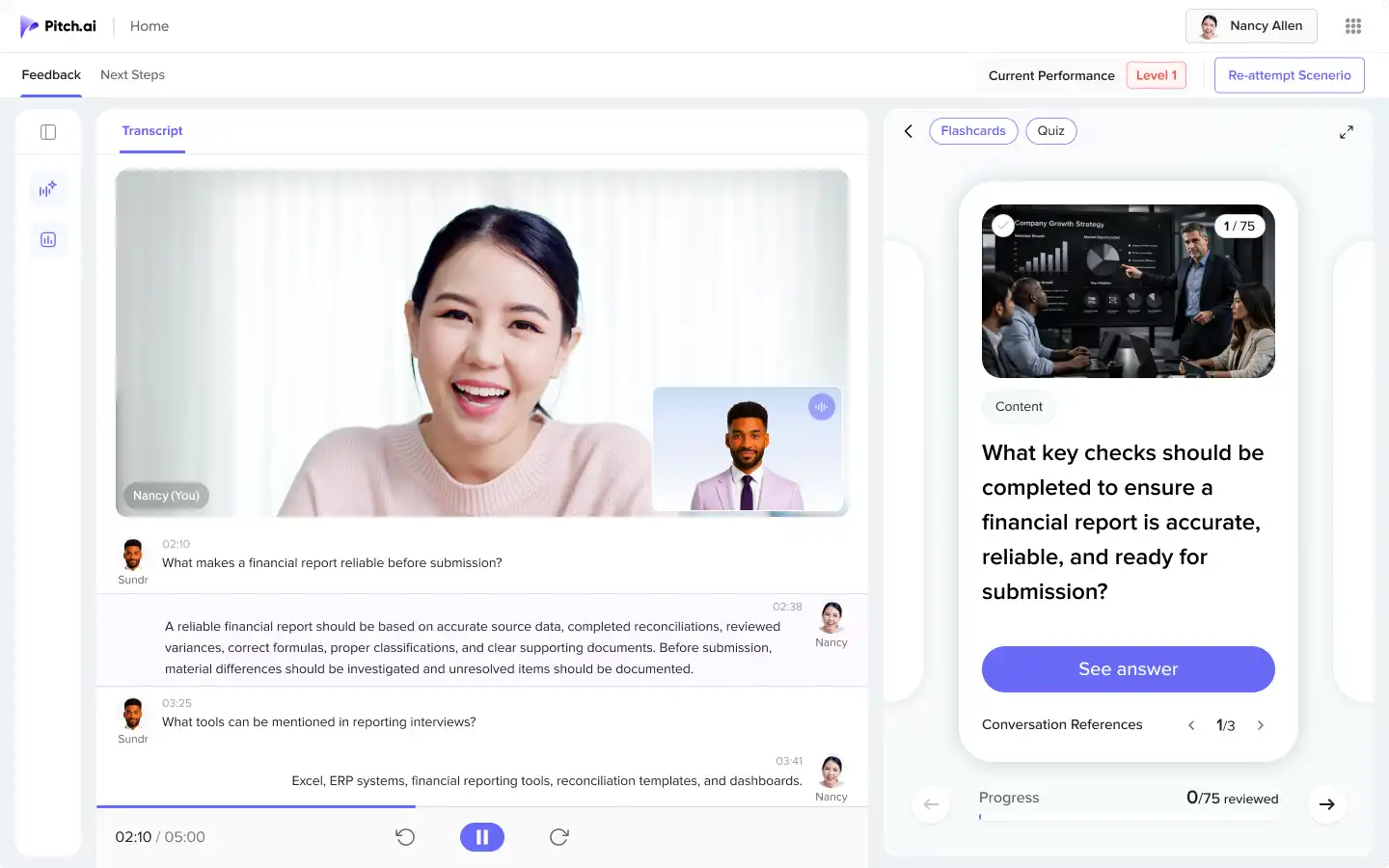
Design Decisions
Flashcards - Turned practice gaps into quick revision
Flashcards were generated from the actual conversation, helping users revise key concepts they struggled with during practice.
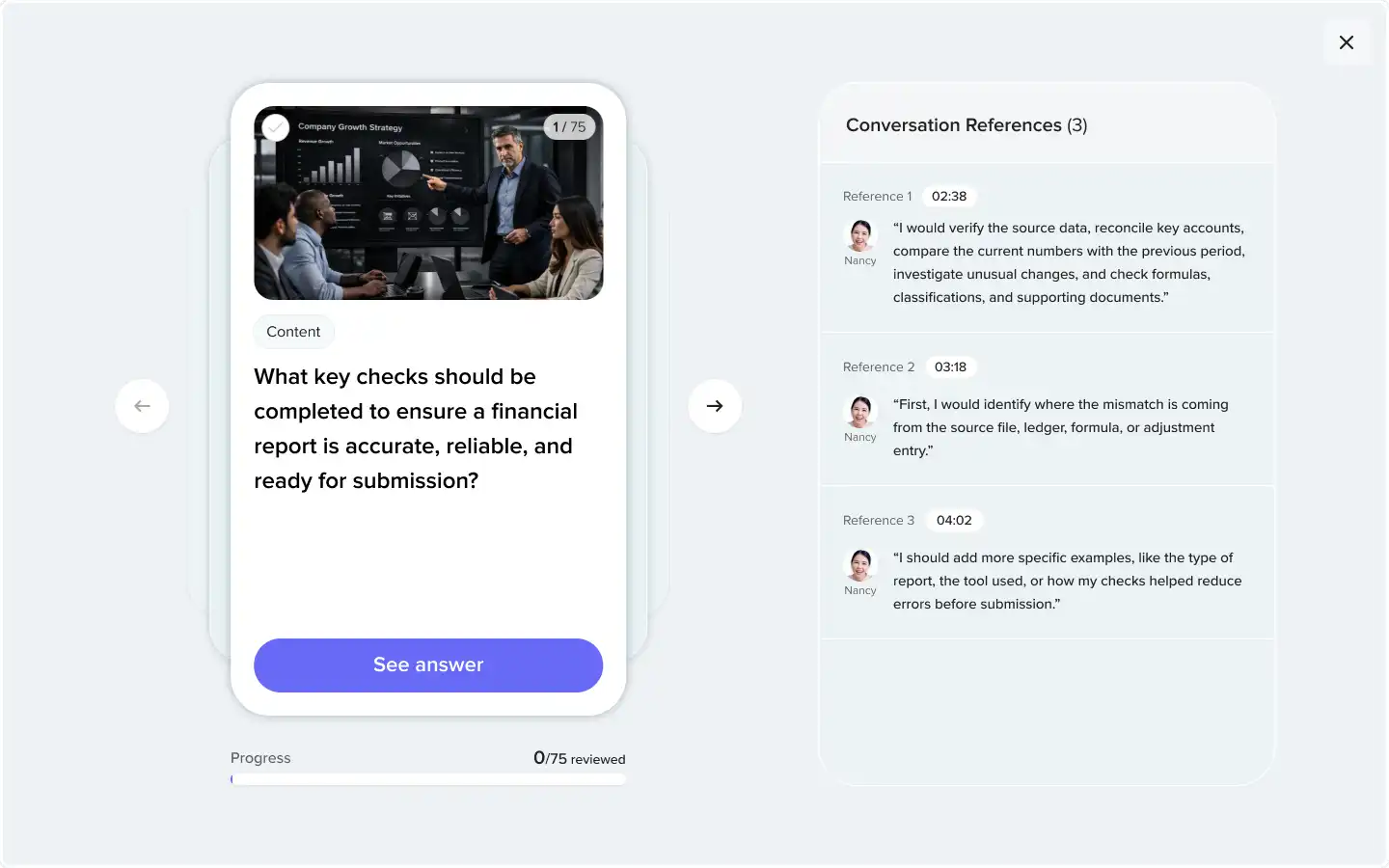
Linked learning back to the transcript
Each flashcard connected to the relevant conversation moment, so users could review the context before continuing practice.
Expanded View - Flashcards
Quiz
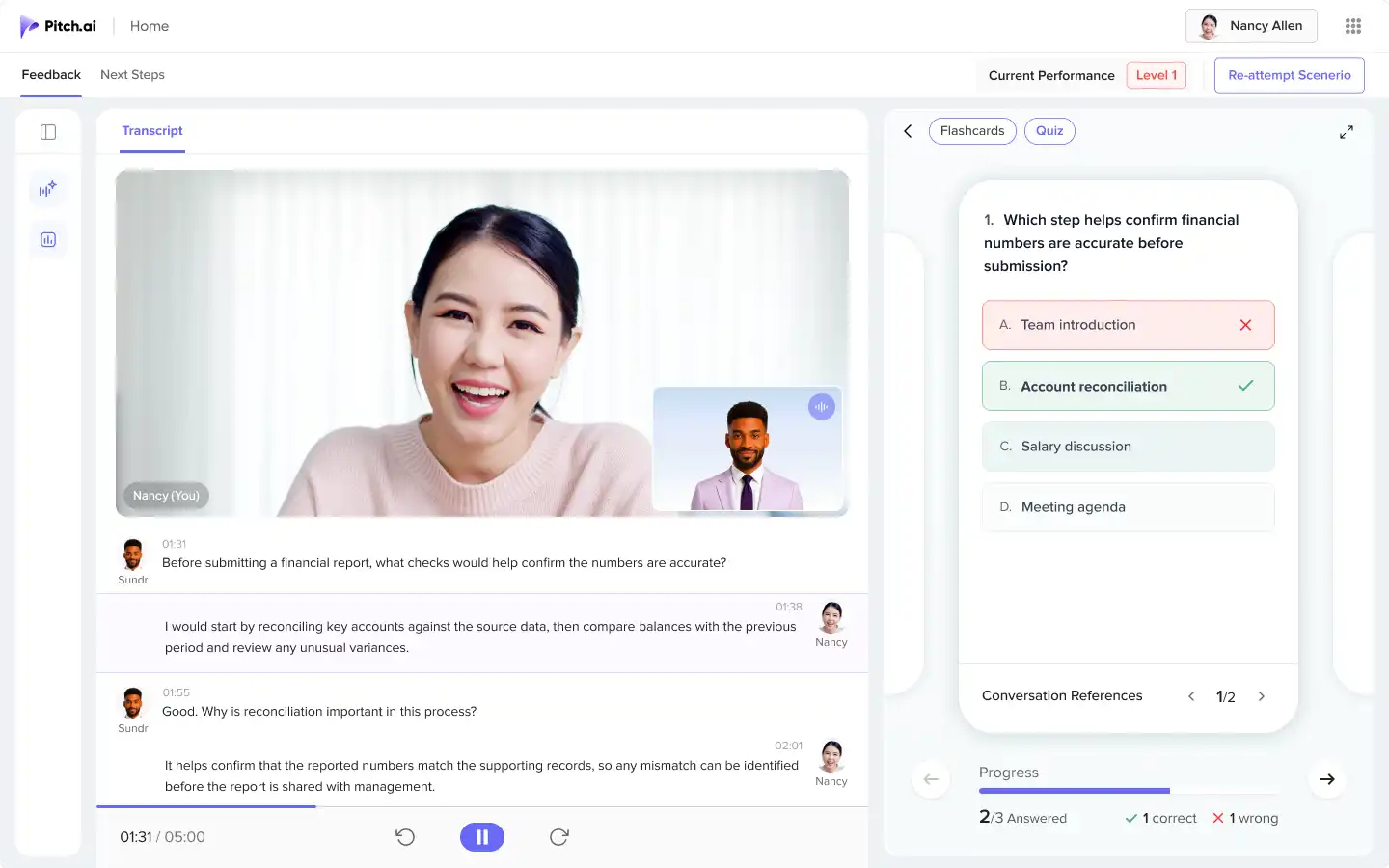
Design Decisions
Added quizzes - Checked learning after practice
Quizzes were generated from the conversation to help users test the key points they had just practiced.
Connected quiz answers to the transcript
Users could review correct and incorrect answers with references to the original conversation, making learning easier to revisit.
Document-Based Practice
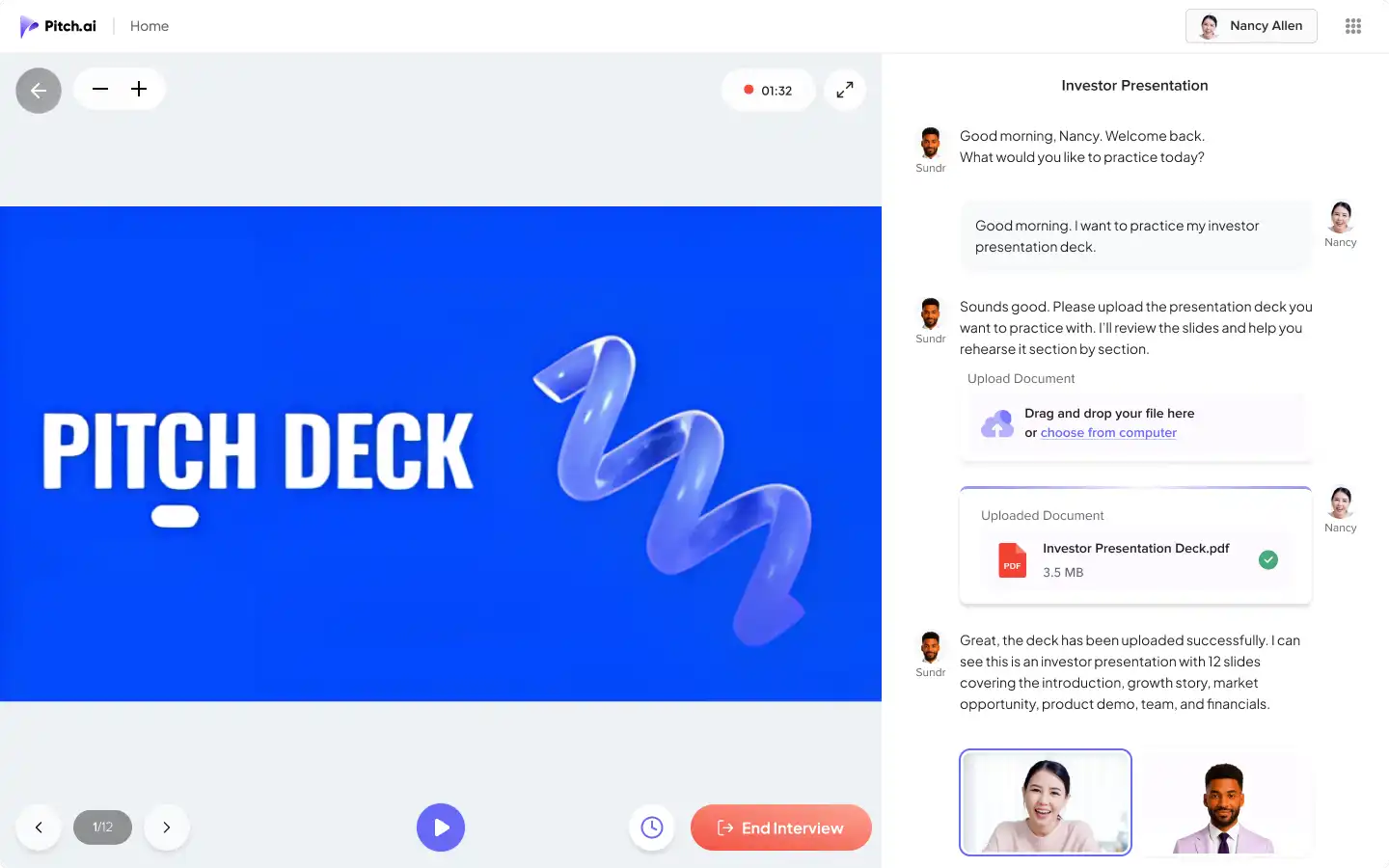
Let users practice with their own documents
Users could upload resumes, reports, presentations, or pitch decks and practice around that content.
Made questions and feedback more specific
SUNDR used the uploaded document to guide the conversation, so practice felt more relevant.
Feedback : Document-Based Practice
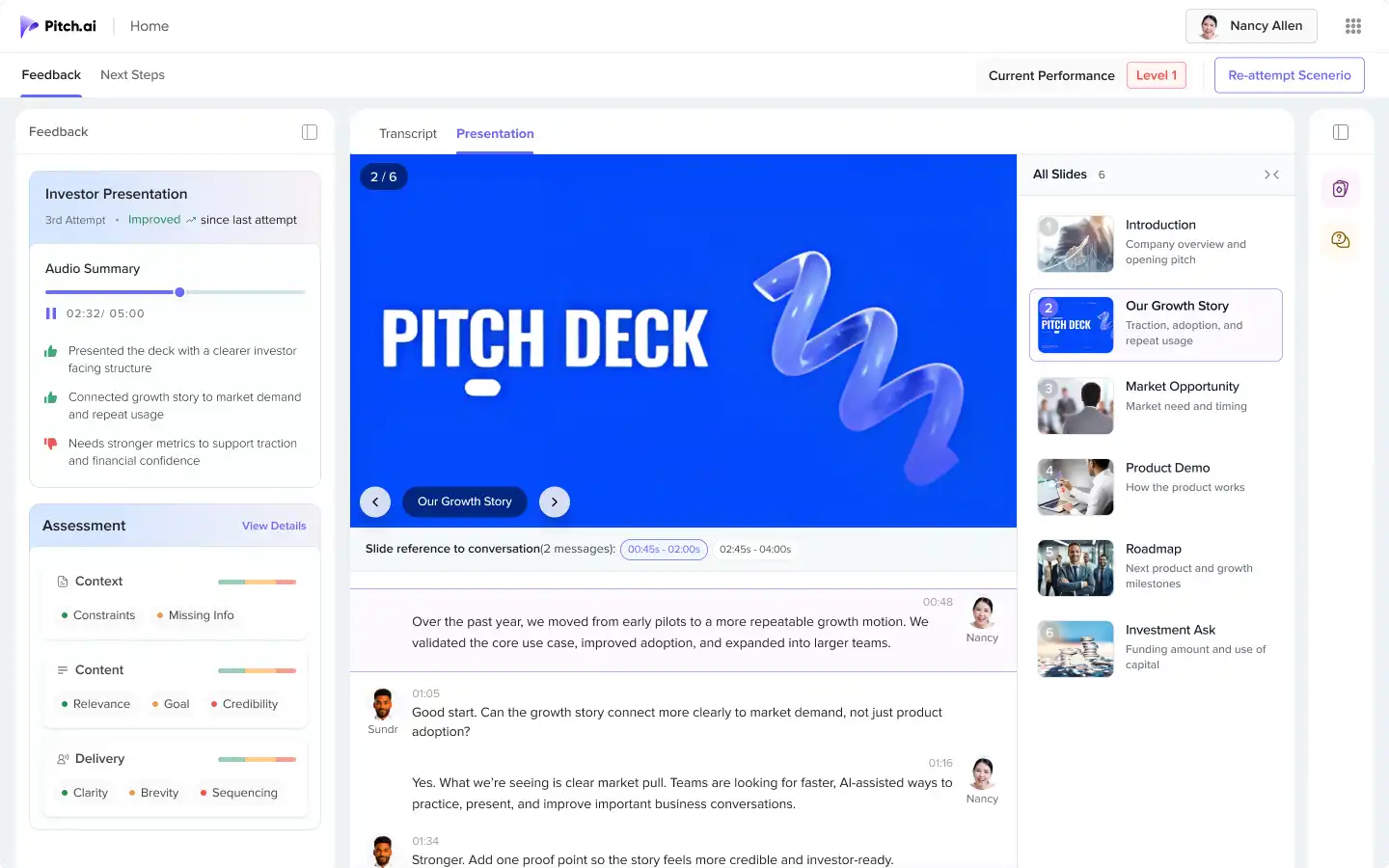
Connected each slide to the transcript
Users could see which part of the conversation belonged to each slide.
Made slide feedback easier to understand
Users could review how clearly they explained each slide and what needed to improve before reattempting.
Resume-Based Practice
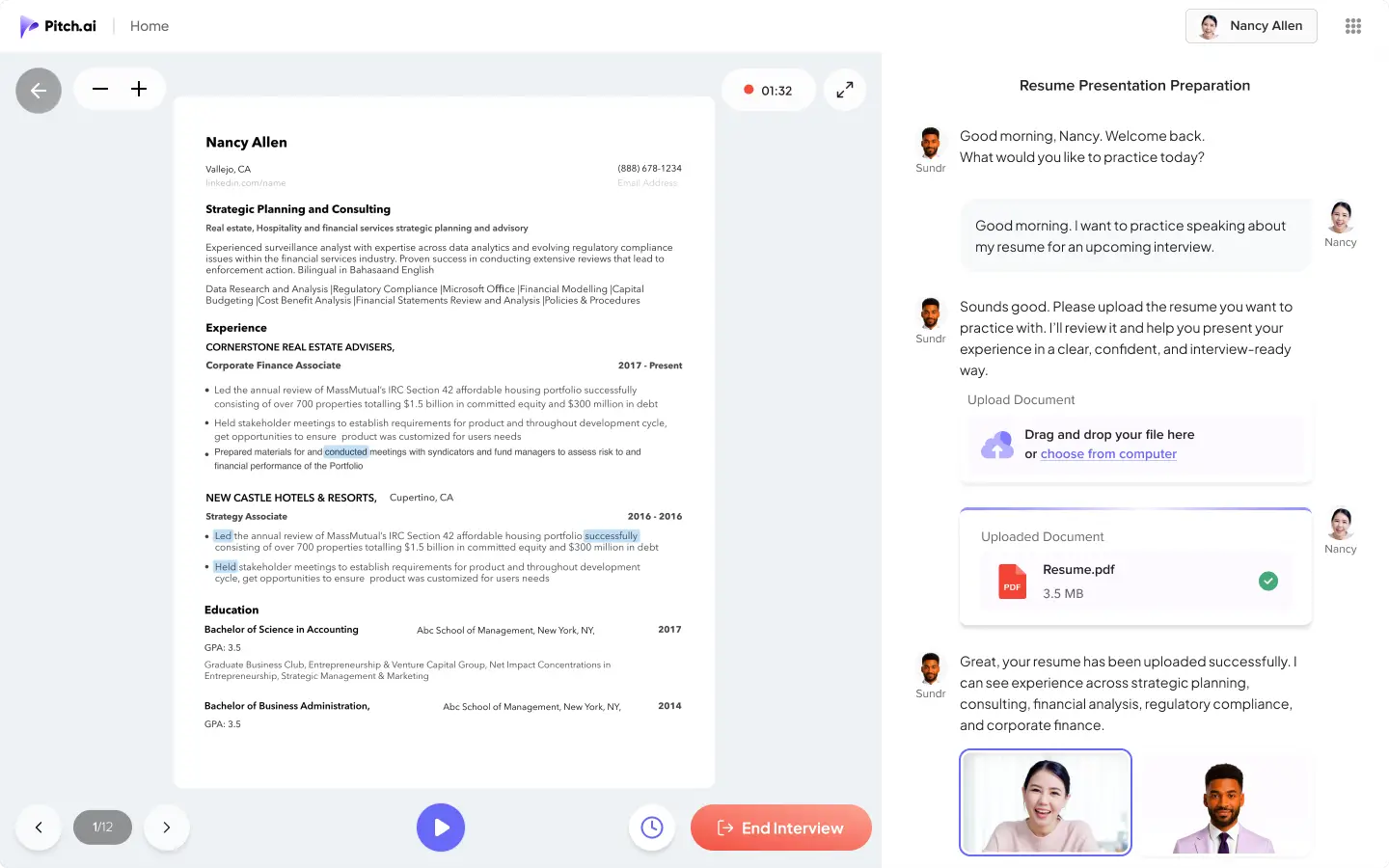
Let users practice from their own resume
Users could upload their resume and practice speaking about their real experience, skills, and achievements.
Helped users turn experience into a clear story
SUNDR used the resume to guide questions around resume walkthroughs, role fit, and achievement storytelling.
Explore Scenarios
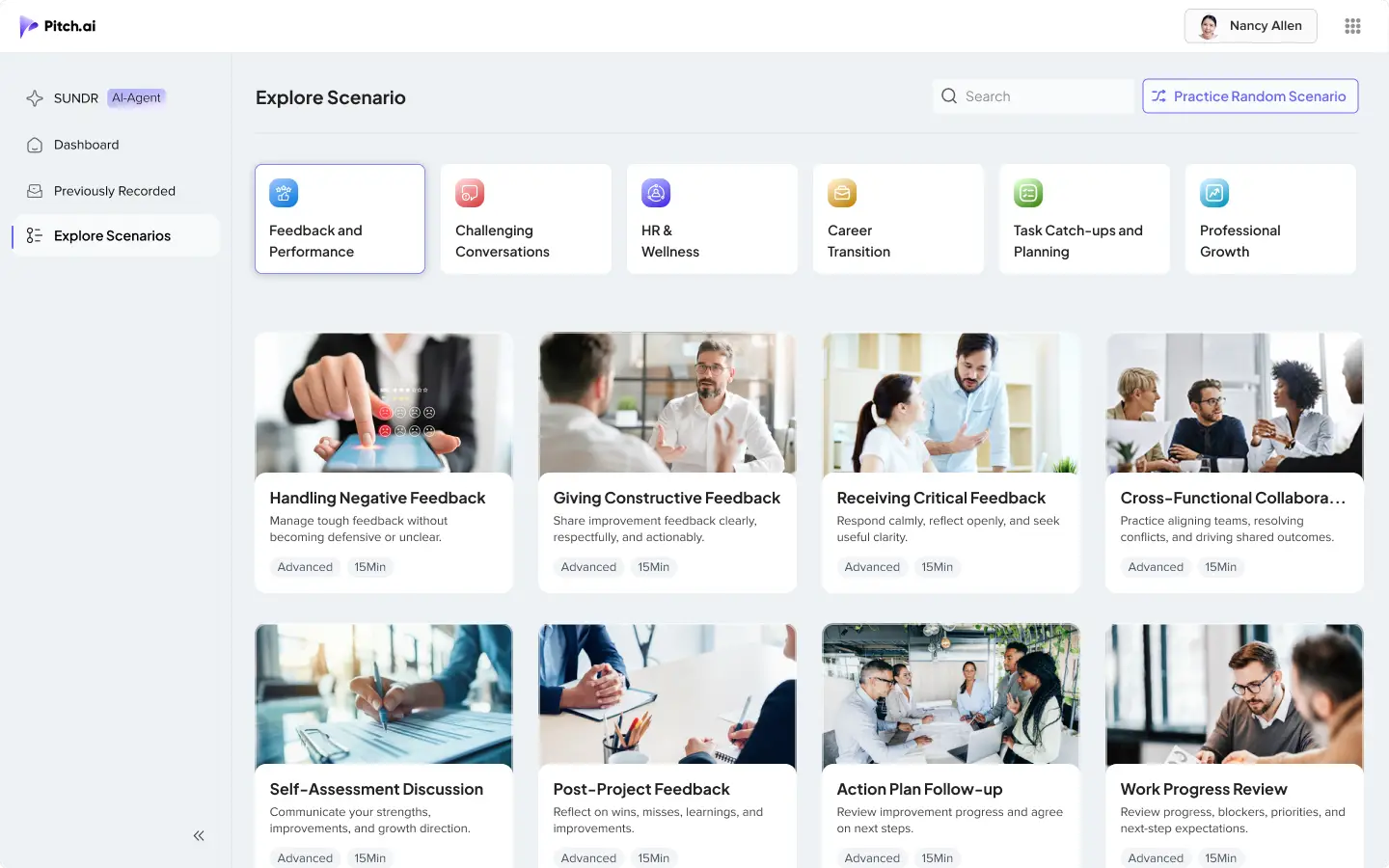
Design Decisions
Created a dedicated scenario library
Users could browse role-play situations by category, search, difficulty, or random practice.
Made scenario selection faster
Scenario cards helped users quickly understand the situation, difficulty level, and practice time.
Supported broader communication practice
The library included feedback conversations, performance reviews, cross-functional collaboration, and difficult workplace discussions.
Scenario Setup
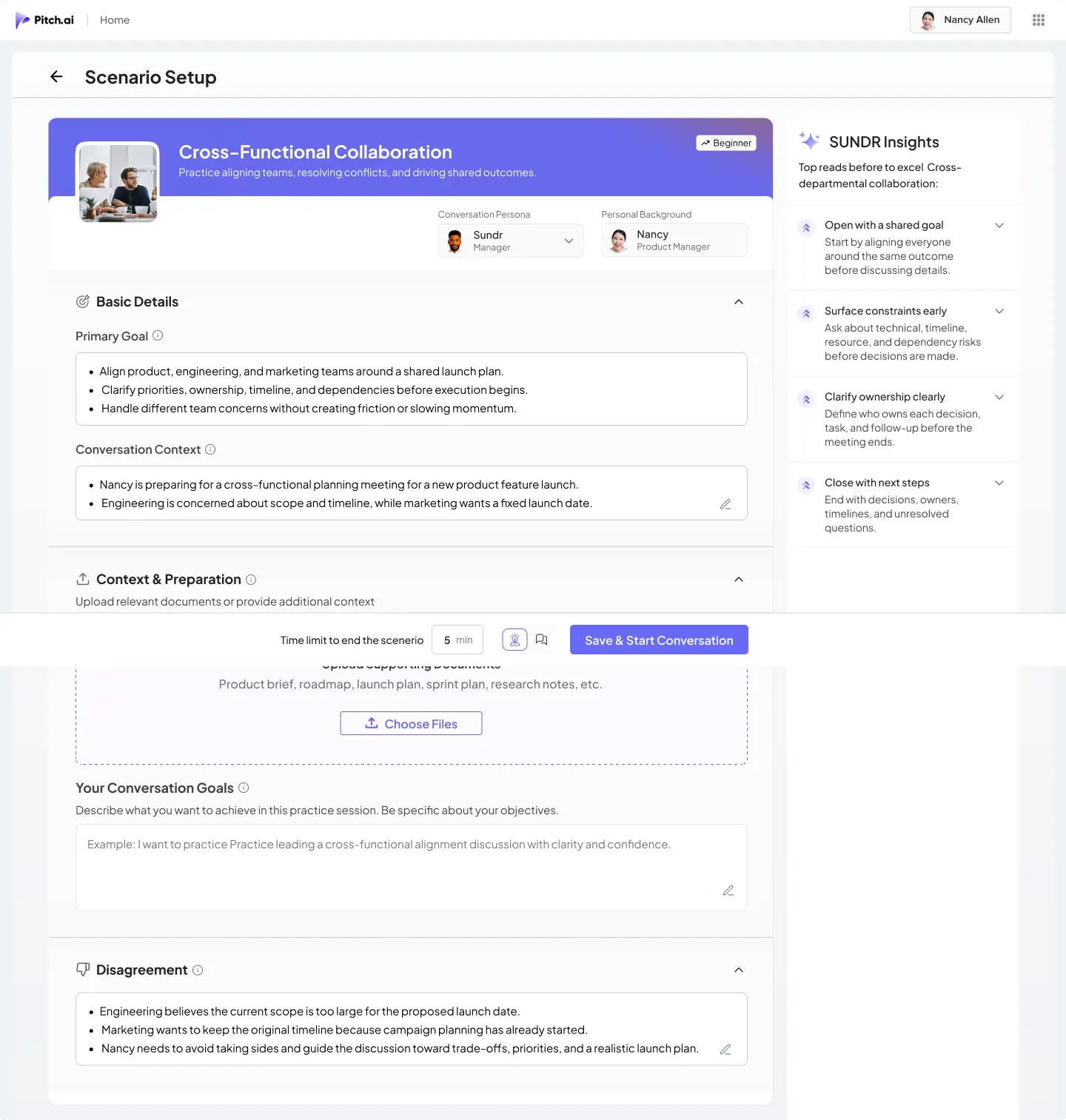
Design Decisions
Made the scenario setup editable
Users could keep the AI-generated setup or edit the goal, context, persona, and disagreement based on their situation.
Added context before role-play starts
The setup helped define what the user wanted to achieve, what background SUNDR should know, and what tension should appear.
Added SUNDR Insights before practice
SUNDR gave quick tips before the conversation so users could enter practice with more clarity.


Dashboard
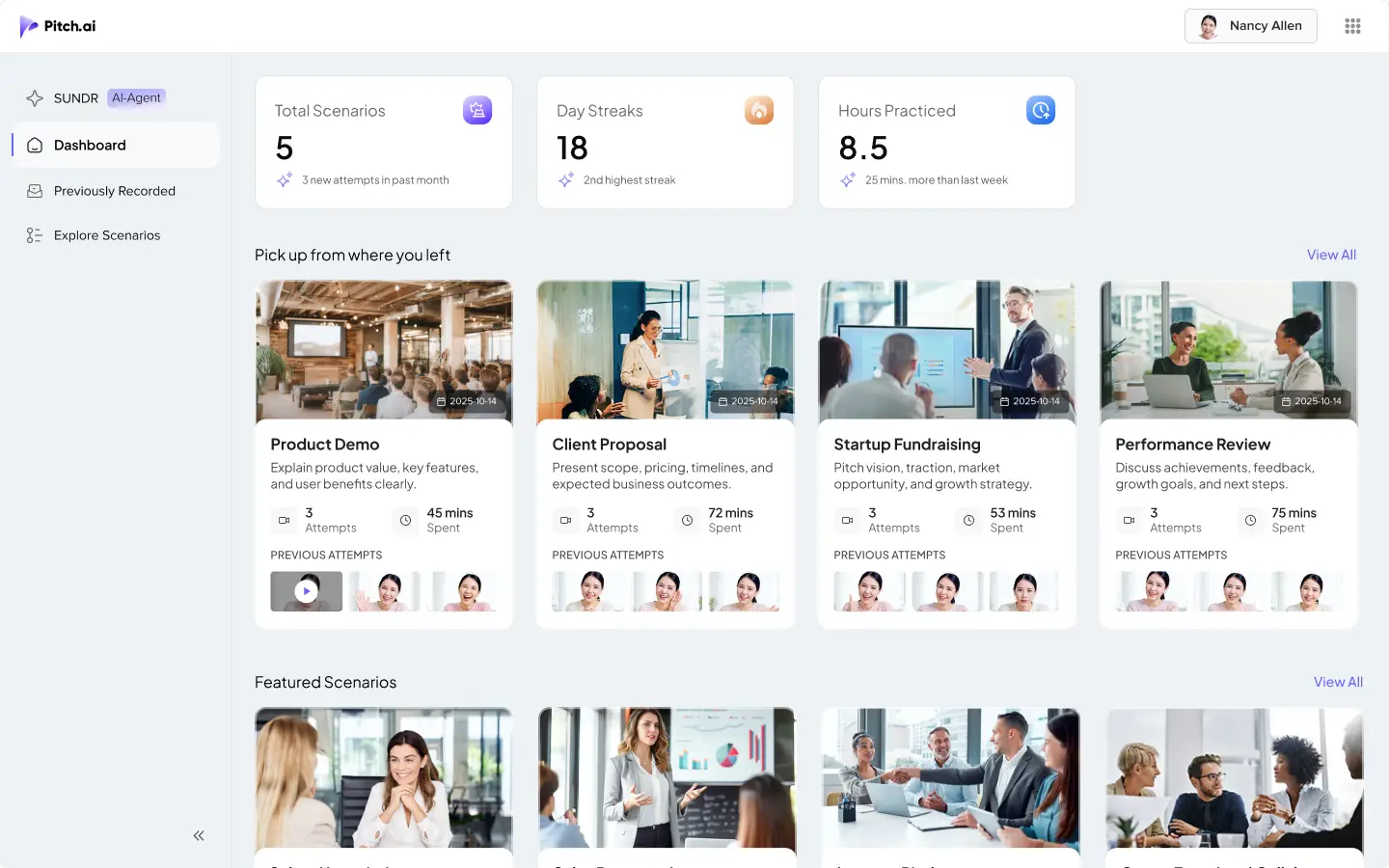
Design Decisions
Made practice progress visible
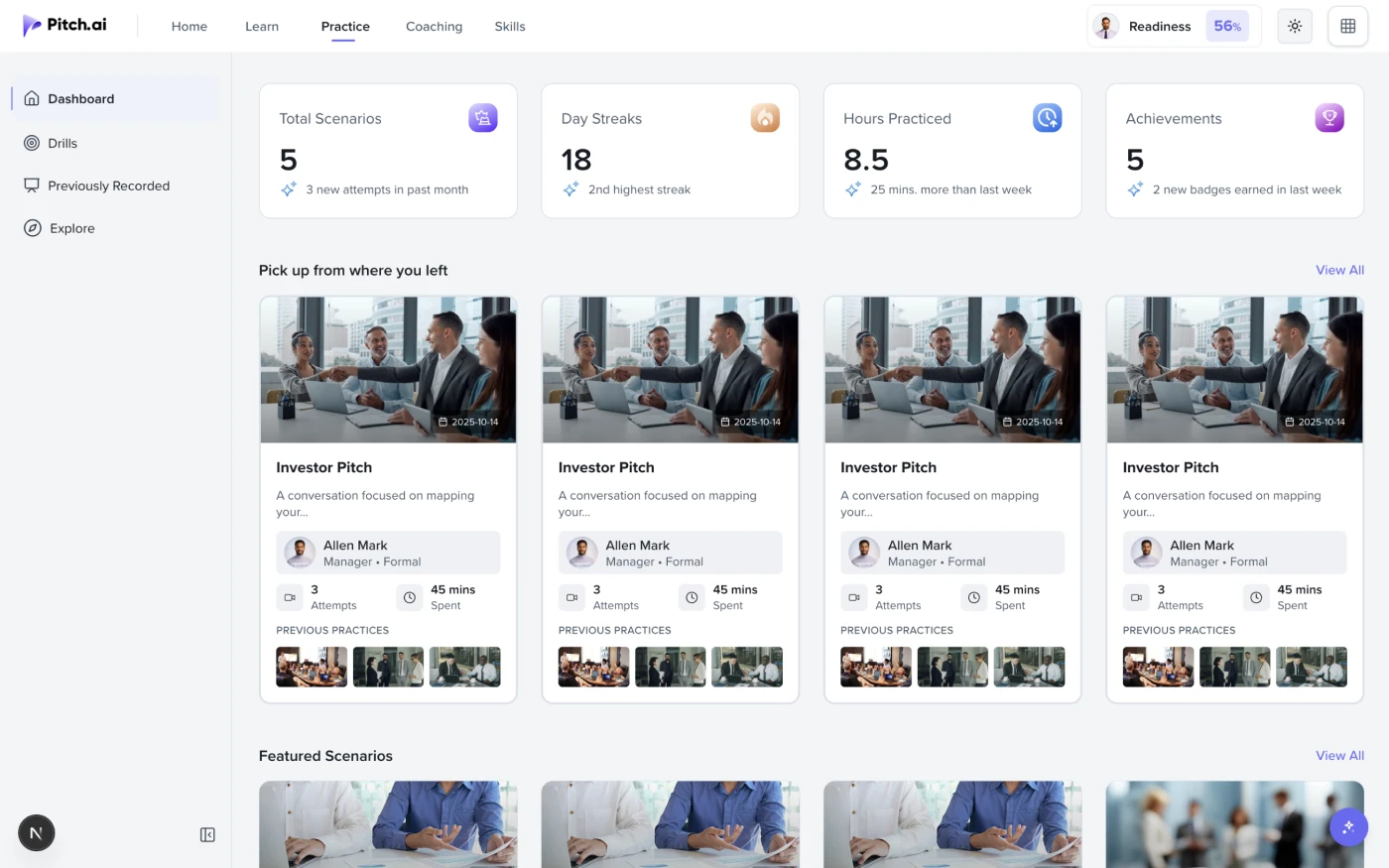
The dashboard showed total scenarios, practice streak, and hours practiced so users could understand their progress quickly.
Helped users continue from where they left off
Recent practice cards helped users return to active scenarios without searching again.
Added featured scenarios for continued practice
Featured scenarios helped users discover new communication situations after completing previous sessions.
Previously Recorded
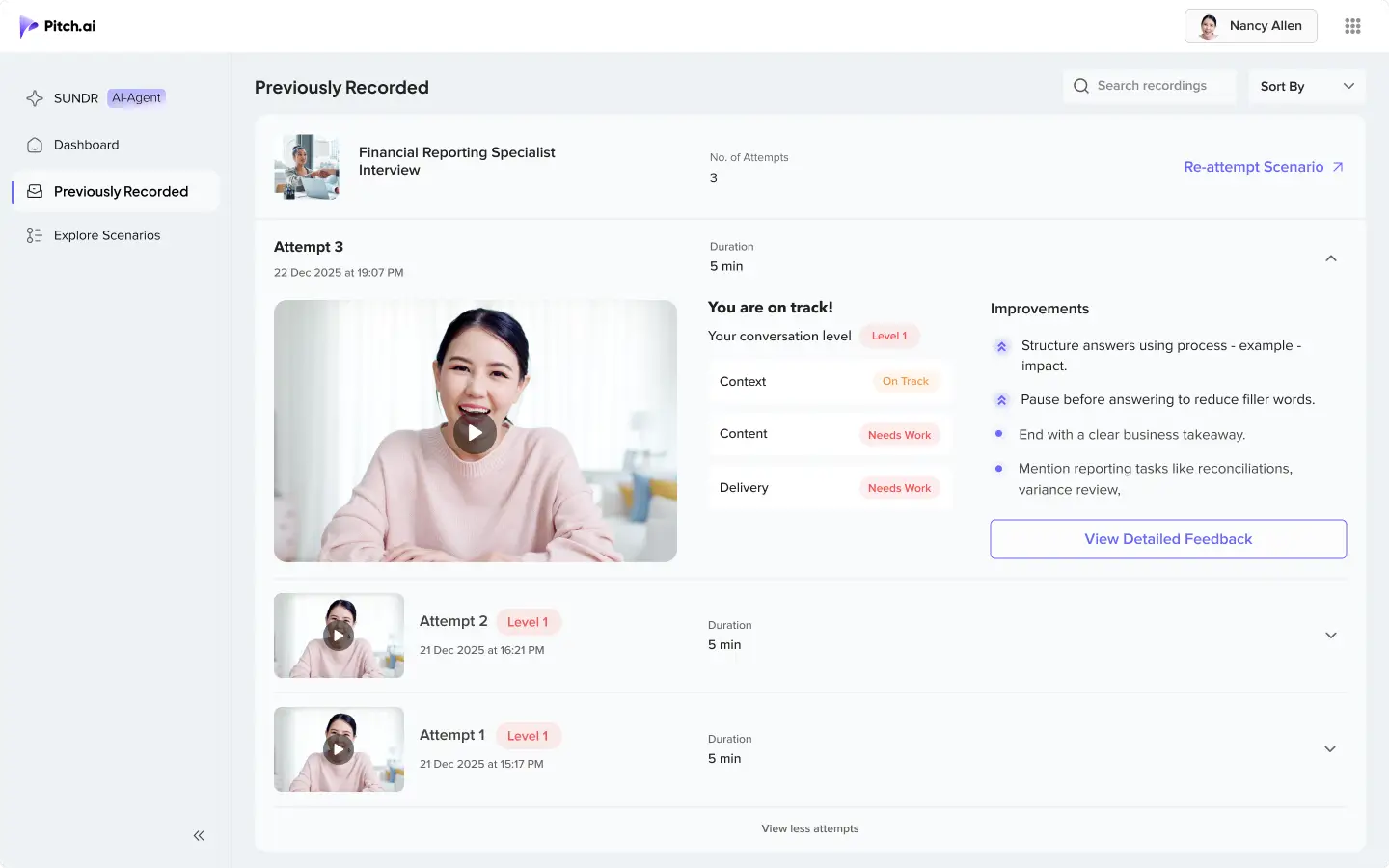
Design Decisions
Made past attempts easier to track
Users could see all attempts for a scenario, including recording, duration, level, and attempt number.
Showed the latest attempt first
The latest attempt was expanded by default so users could quickly review current performance and improvement areas.
Added clear paths to review and reattempt
Users could view detailed feedback or directly reattempt the same scenario.
Future Experience Explorations
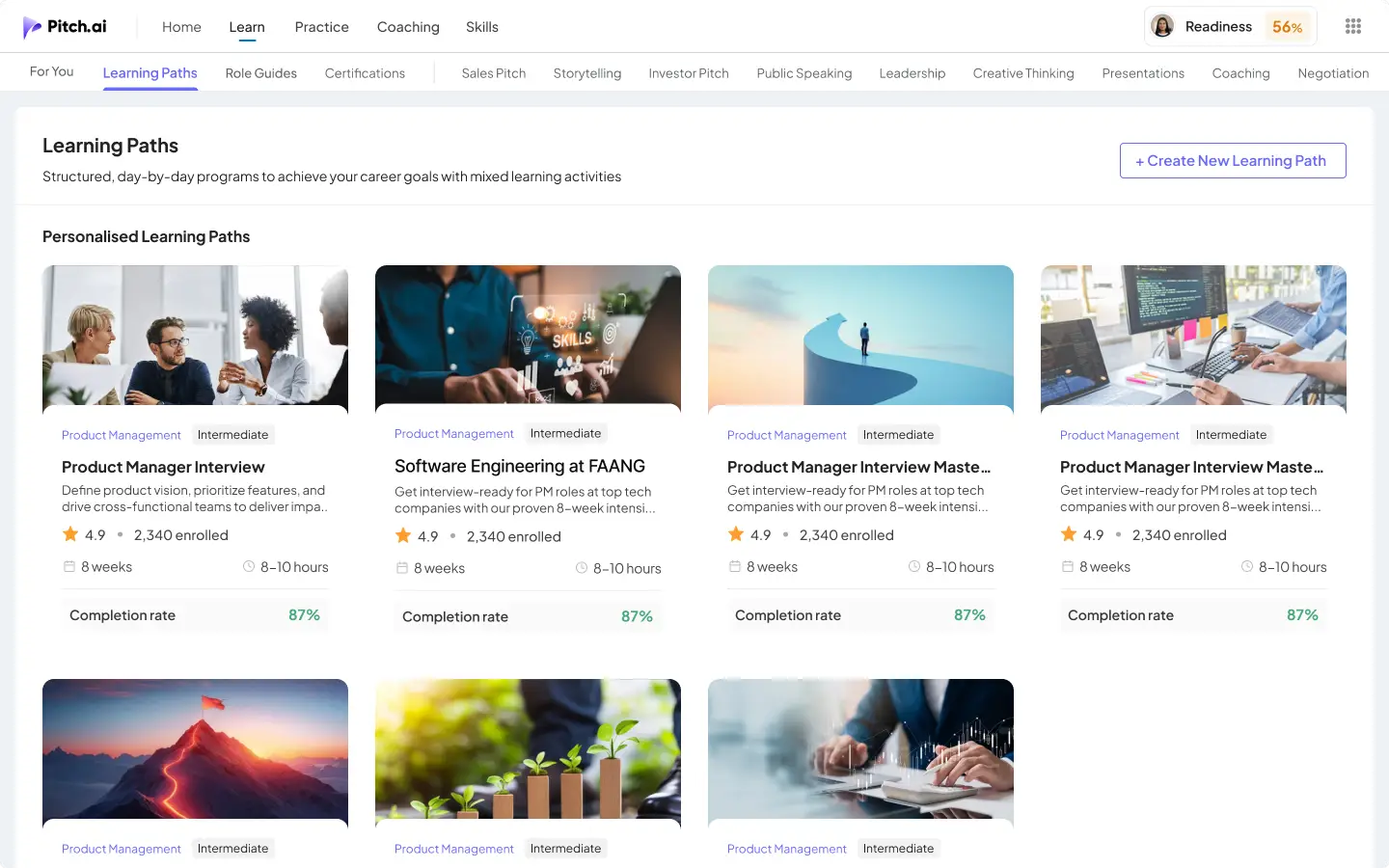
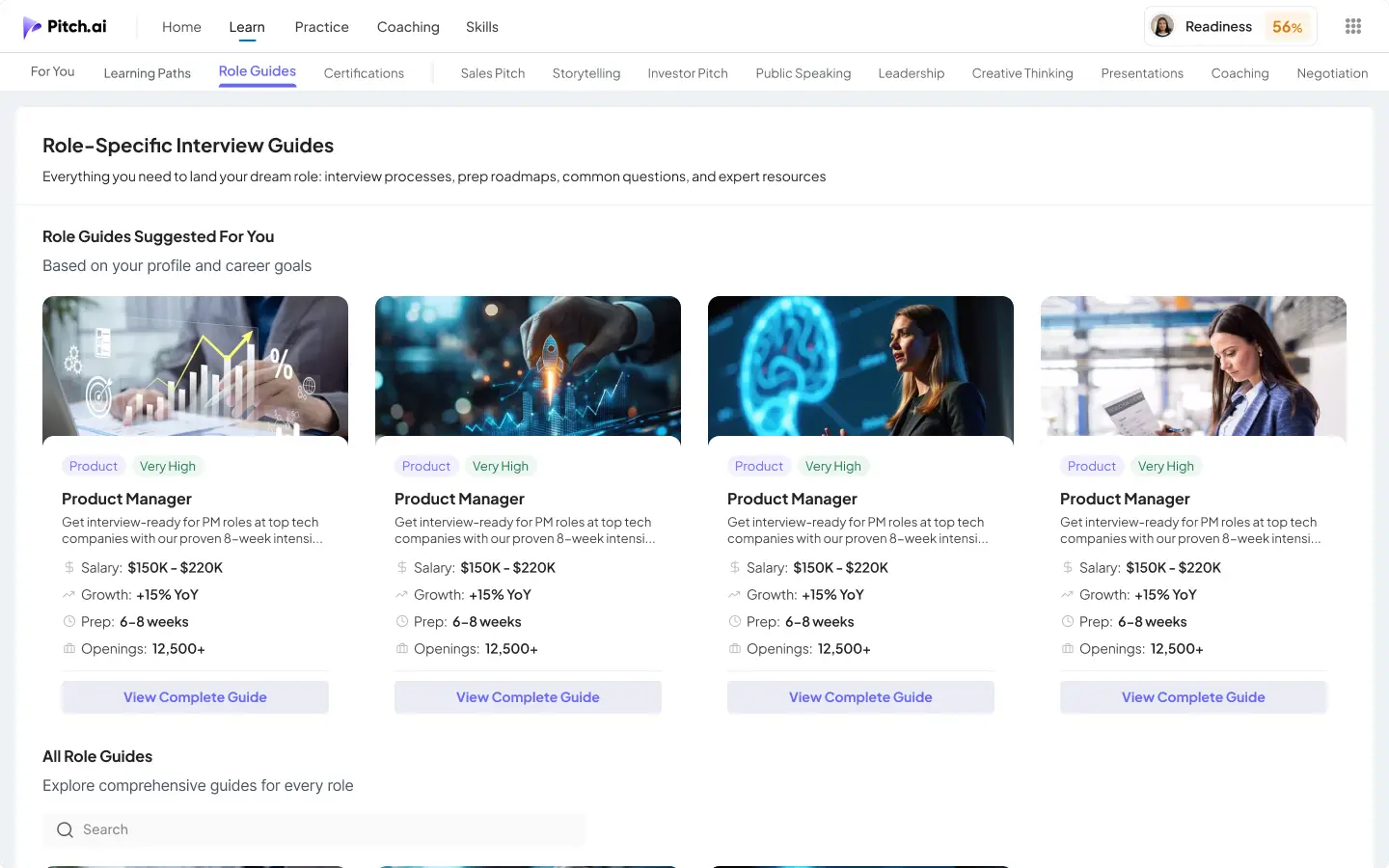
These screens were exploratory and showed how Pitch.ai could grow into a longer-term communication development platform.
Learning Paths
Structured programs could help users improve communication skills over time.
Role Guides
Role-specific preparation could guide users through common questions, timelines, and preparation steps.
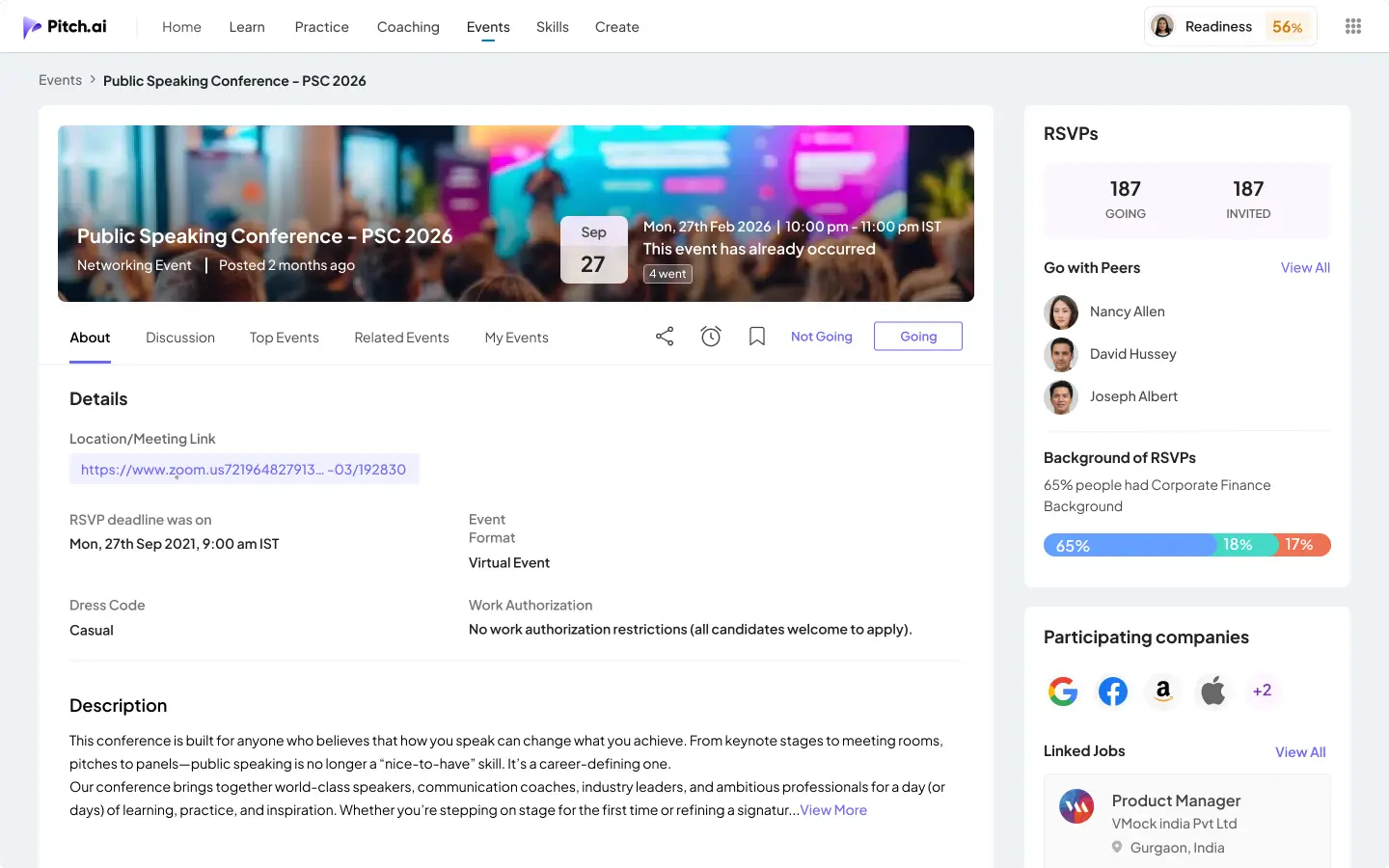
Events
A way for users to discover webinars, conferences, and communication-focused sessions.
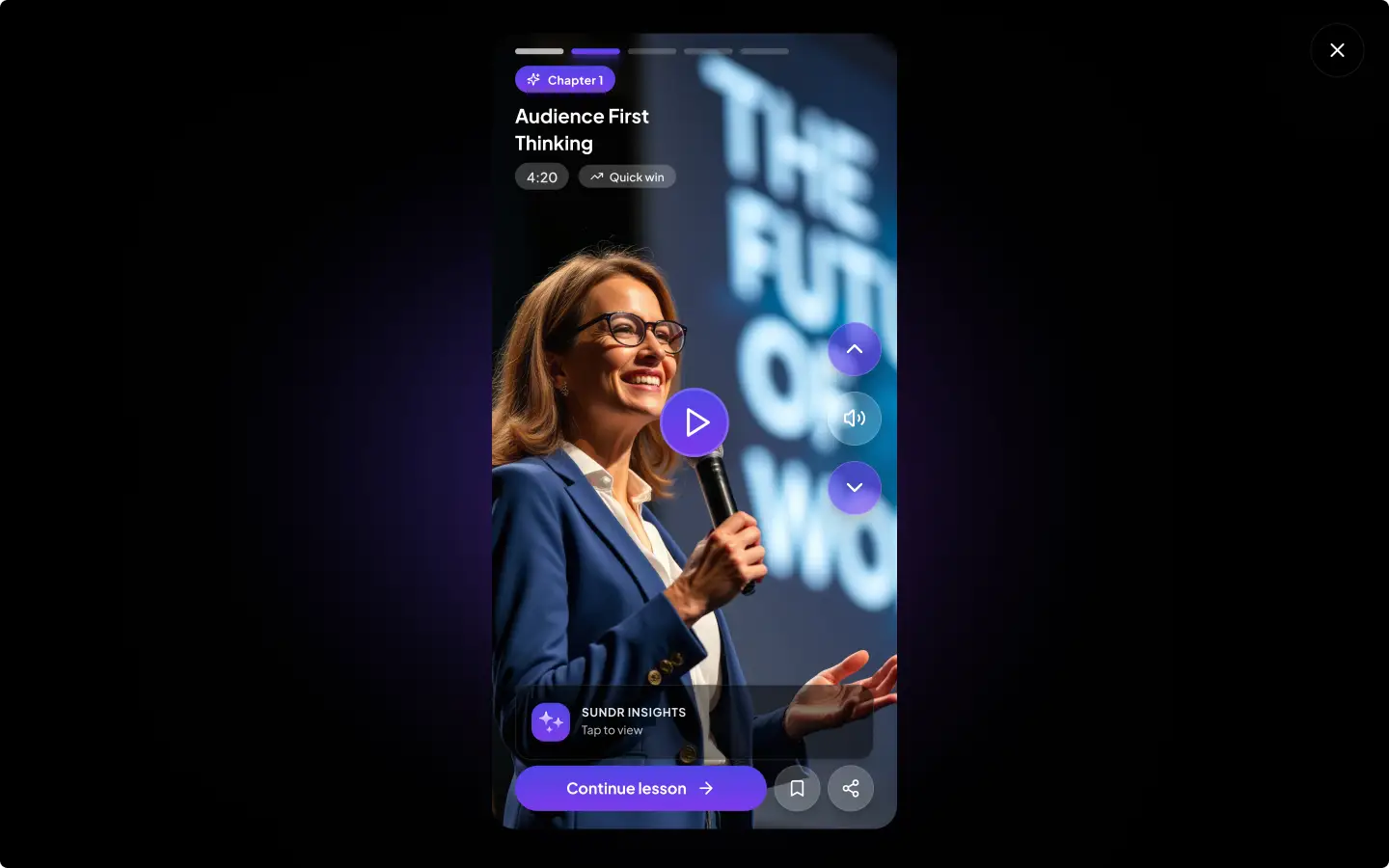
Micro-Learning Short Videos
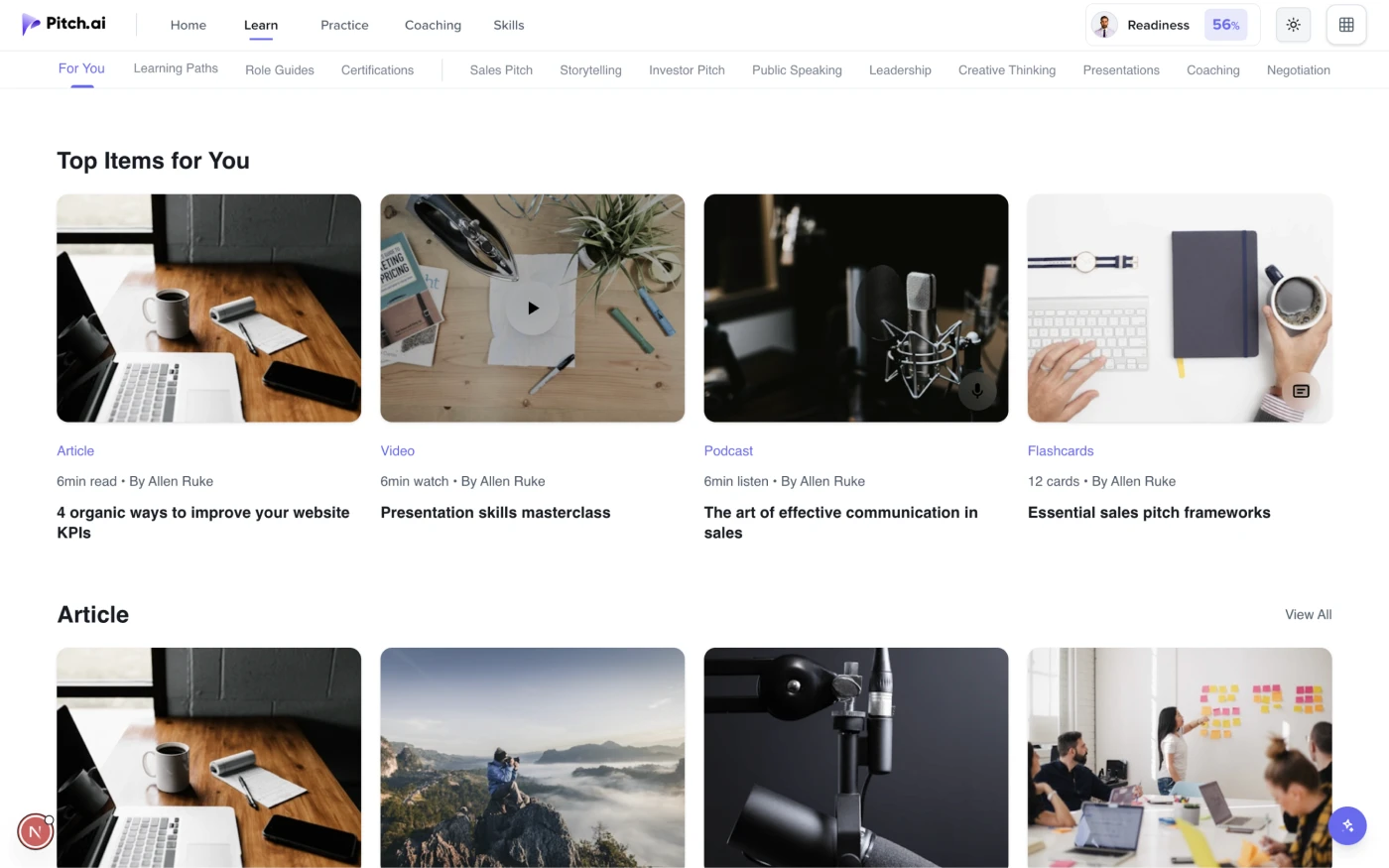
Short lessons could help users learn quickly before or after practice.
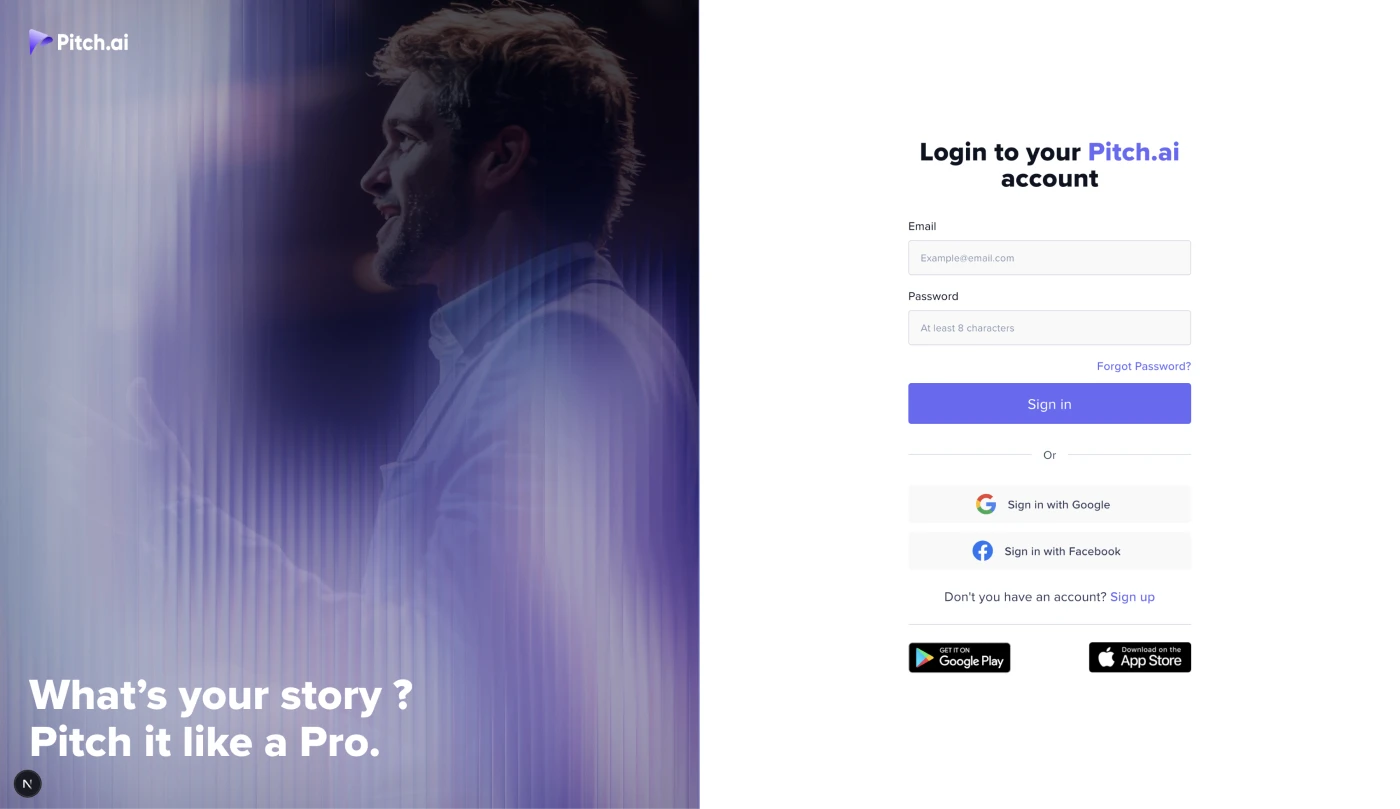
After the product was designed and shipped through the standard design-to-engineering workflow, I recreated the Pitch.ai interface using VS Code, GitHub Copilot, and AI-assisted coding workflows.


Key Learnings
Users improve faster when practice is guided
Real improvement came from practicing with AI, getting feedback, and trying again.
Role-play works better with real context
Goals, persona, background, conflict, and documents made practice feel closer to real conversations.
Feedback works best when tied to exact answers
Users could understand their gaps more clearly when feedback pointed to the specific response.
Coach Mode and Live Mode solved different needs
Coach Mode supported learning, while Live Mode supported realistic rehearsal.
Reattempts turned feedback into improvement
Practice Now, AI Rerun, flashcards, quizzes, and reattempts helped users move from feedback to action.
AI-assisted coding helped me think beyond static screens
Building the interface with AI-assisted coding helped me understand responsiveness, component behavior, and implementation constraints.
Next Steps
The next step would be to make Pitch.ai more adaptive, more measurable, and easier to use for different practice goals.
Expand predefined practice formats
Add formats like case interviews, mock interviews, sales calls, client conversations, and leadership scenarios.
Explore a B2C version
Adapt Pitch.ai for individual students, job seekers, and working professionals.
Improve progress tracking
Add clearer skill trends, readiness indicators, and attempt comparisons.